Access Plane
The Access Plane defines subscriber access and establishes access sessions before user traffic starts. In the web interface, it appears as the task builder's Access Groups tab and is used for IPoE, PPPoE, DHCPv4/DHCPv6, SLAAC, 802.1X, and related access protocols.
Reusable Network Tunnel profiles (Library → VLAN, VXLAN, GRE, IP-IP, and IPsec) are documented separately. They are selected in a Data Plane plugin's parameter group and are not Access Groups access sessions.
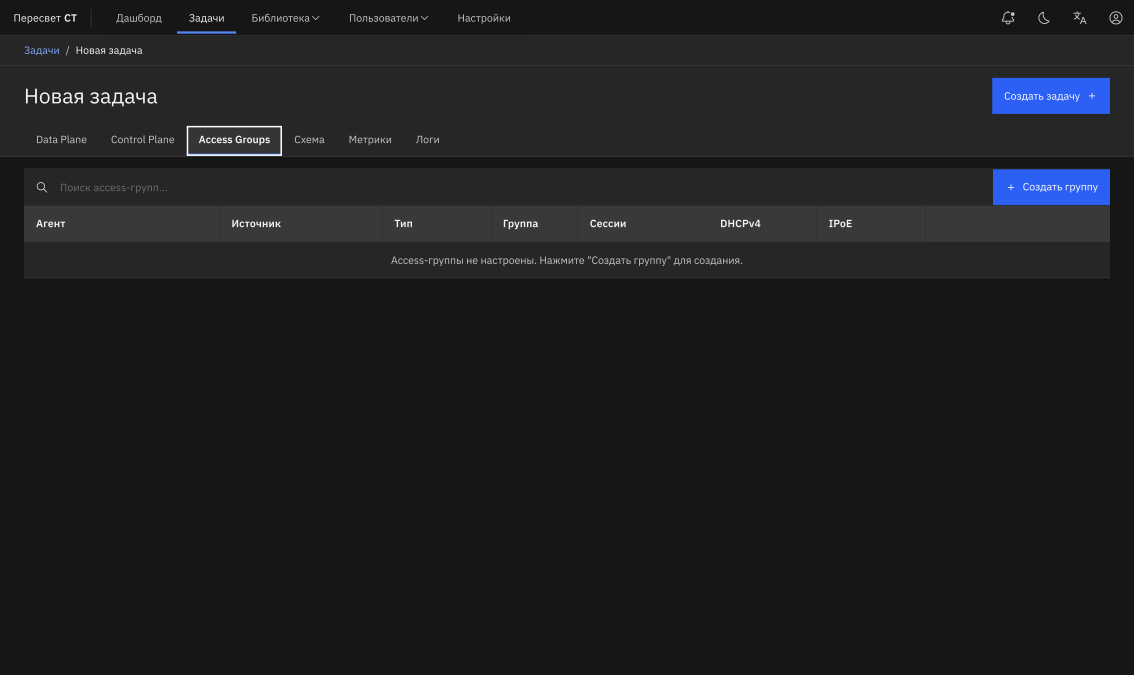
Figure 22 — Access Groups tab
Table 225 — General Access Groups Parameters
| Name | Description | Value |
|---|---|---|
| Agent | Agent that establishes the access session | Select an agent |
| Side | Client or server role | Specify the group's role in the task |
| Interface | Agent network interface | Select an interface |
| Access type | IPoE, PPPoE, or 802.1X | Select the type used in the testbed |
| Outer VLAN | Outer VLAN | Specify a value or range |
| Inner VLAN | Inner VLAN for Q-in-Q | Specify a value or range |
| VLAN step | VLAN increment within the range | Used for bulk session generation |
| Q-in-Q | Double VLAN tagging | Enable/disable |
Table 226 — Access Group Session Parameters
| Name | Description | Value |
|---|---|---|
| Count | Number of subscriber sessions | Specify the session count |
| Start Rate | Session establishment rate | Sessions per second |
| Stop Rate | Session teardown rate | Sessions per second |
| Start Delay | Delay before establishment begins | Seconds |
| Max Outstanding | Maximum number of pending operations | Use to limit concurrency |
Table 227 — DHCPv4, DHCPv6, and IPoE Parameters
| Name | Description | Value |
|---|---|---|
| DHCP enable | Enable DHCPv4 | Enable/disable |
| Broadcast | Use broadcast requests | Enable/disable |
| Timeout | DHCP response timeout | Seconds |
| Retry | Number of retries | Specify the attempt count |
| Release Interval | Address release interval | Seconds |
| DHCPv6 enable | Enable DHCPv6 | Enable/disable |
| Rapid Commit | DHCPv6 Rapid Commit | Enable/disable |
| SLAAC | Obtain an IPv6 address through Router Advertisement without DHCPv6 | Enable IPv6-only mode |
| IPoE IPv4/IPv6 | Address families in use | Enable IPv4, IPv6, or both |
| ARP Timeout/Interval | IPoE ARP timers | Specify in seconds |
Table 228 — PPPoE and PPP Parameters
| Name | Description | Value |
|---|---|---|
| Session Time | PPPoE session lifetime | Seconds |
| Reconnect | Automatic reconnection | Enable/disable |
| Discovery Timeout | PPPoE discovery timeout | Seconds |
| Discovery Retry | Number of discovery retries | Specify the count |
| Service Name | PPPoE service name | Specify as required |
| Host-Uniq | Use Host-Uniq | Enable/disable |
| Max Payload | Maximum PPPoE payload | Specify the value |
| MRU | PPP Maximum Receive Unit | Specify the size |
| Authentication | PAP or CHAP | Select the protocol and specify the username/password |
| IPCP/IP6CP | Request IPv4/IPv6 parameters | Enable the required modes |
Table 229 — Additional Access Protocols
| Protocol | Purpose | Main parameters |
|---|---|---|
| L2TP | L2TP/LNS emulation for PPP scenarios | Address, secret, receive window, retry, hello interval, ToS |
| 802.1X | EAPoL authentication | Username, password, EAPOL version, max start, start/held/auth period |
| STP/RSTP/MSTP | Loop-prevention protocol testing | Instance ID, mode, bridge priority, bridge MAC, hello/max age/forward delay |
| LACP | Link-aggregation testing | LAG interface, timeout, system priority, system ID, min/max active links |
| OpenFlow | OpenFlow device or controller emulation | Role, version 1.0/1.3, peer address, port, keepalive/hold/reconnect |
| gPTP | 802.1AS timing testing | Role, clock identity, priorities, clock class, sync/announce/pdelay intervals |
Access Groups can be combined with Data Plane plugins. In this case, access sessions are established before user traffic starts, and plugin traffic uses the prepared access infrastructure.