Users and Groups
The Users and Groups tab in the web interface manages accounts: create, edit, and delete users and groups, and connect AD/LDAP.
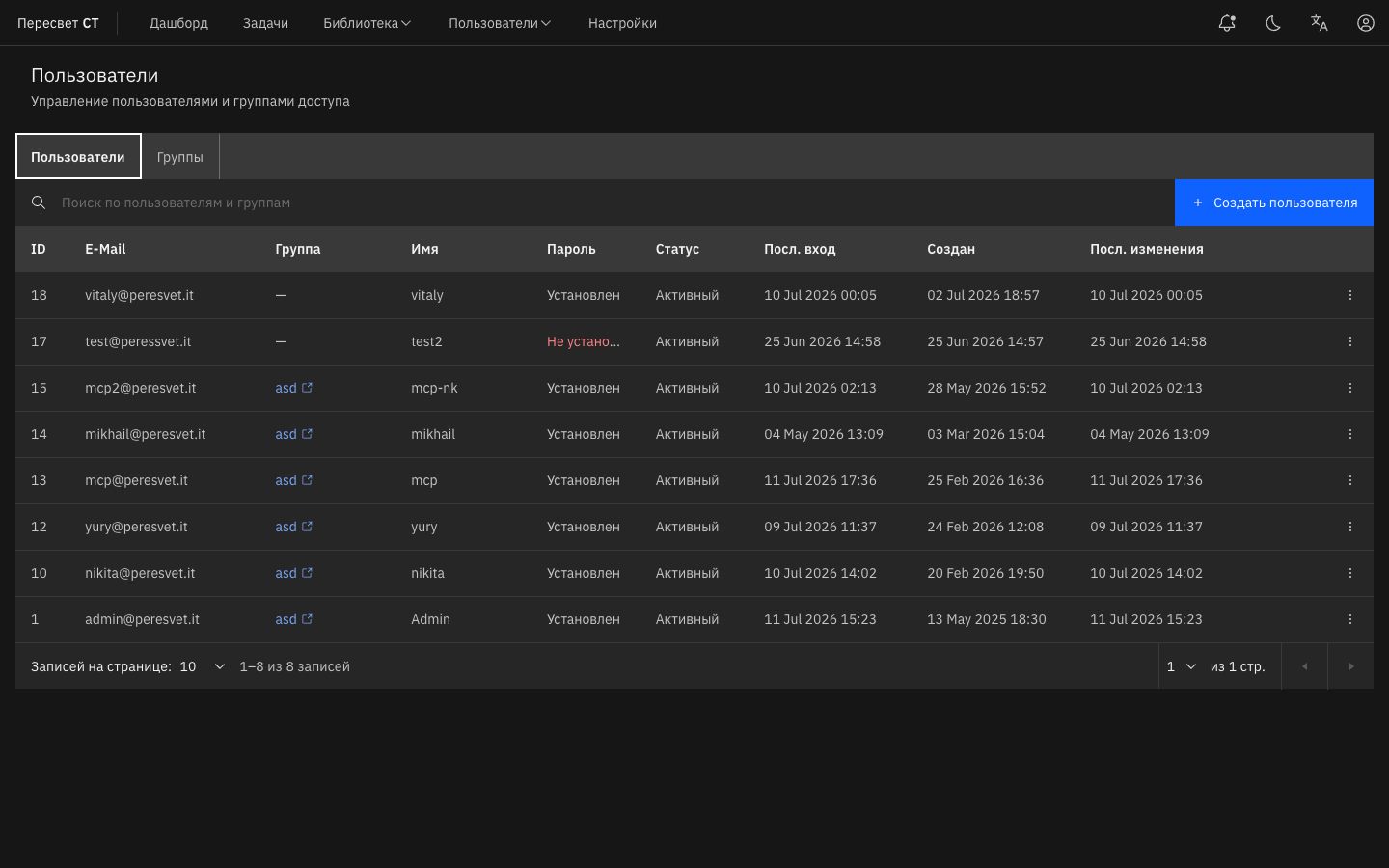
Figure 29 — Users section
Configuring Groups
Creating a Group
- Go to Users → Groups.
- Click Create Group.
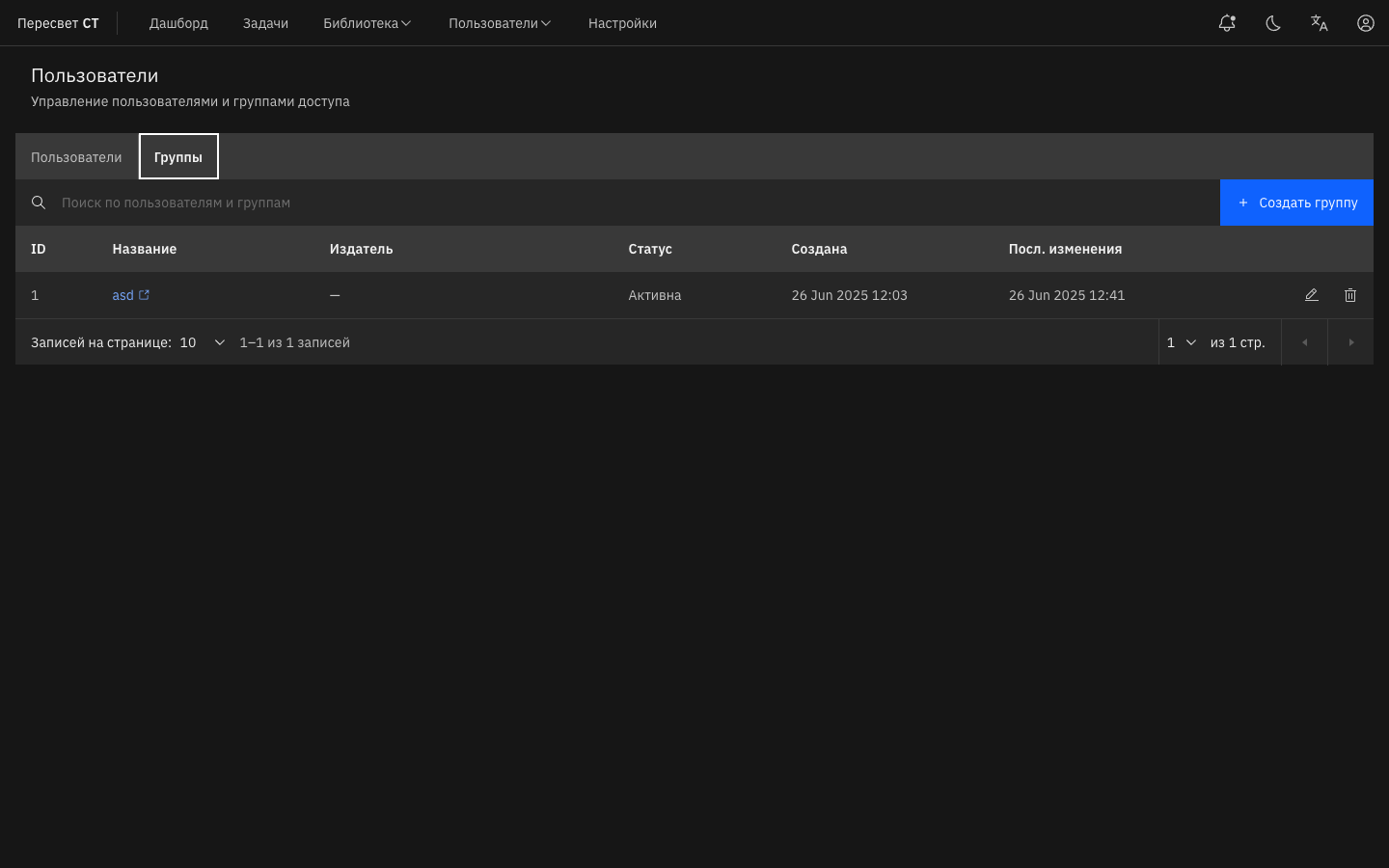
Figure 30 — Create Group button
- Enter a Group Name.
- Select the group's permissions from the list, such as dashboard access, CRUD permissions for groups/users/tasks, log access, settings read/edit access, and user blocking.
- Click Apply.
Editing a Group
- Go to Users → Groups.
- Click the edit button next to the group.
- Change the name and/or permissions.
- Click Apply.
Deleting a Group
- Go to Users → Groups.
- Click the delete button next to the group.
- Confirm the action in the Delete Group dialog.
Configuring Users
Creating a User
- Go to Users → Users.
- Click Create User.
Figure 31 — Create User button
- Enter the Email Address and Username.
- Select a group.
- Click Apply.
- The Sign-In Details dialog displays the username and temporary password.
- At first sign-in, the user is prompted to change the password. Enter the new value in Password and Confirm Password.
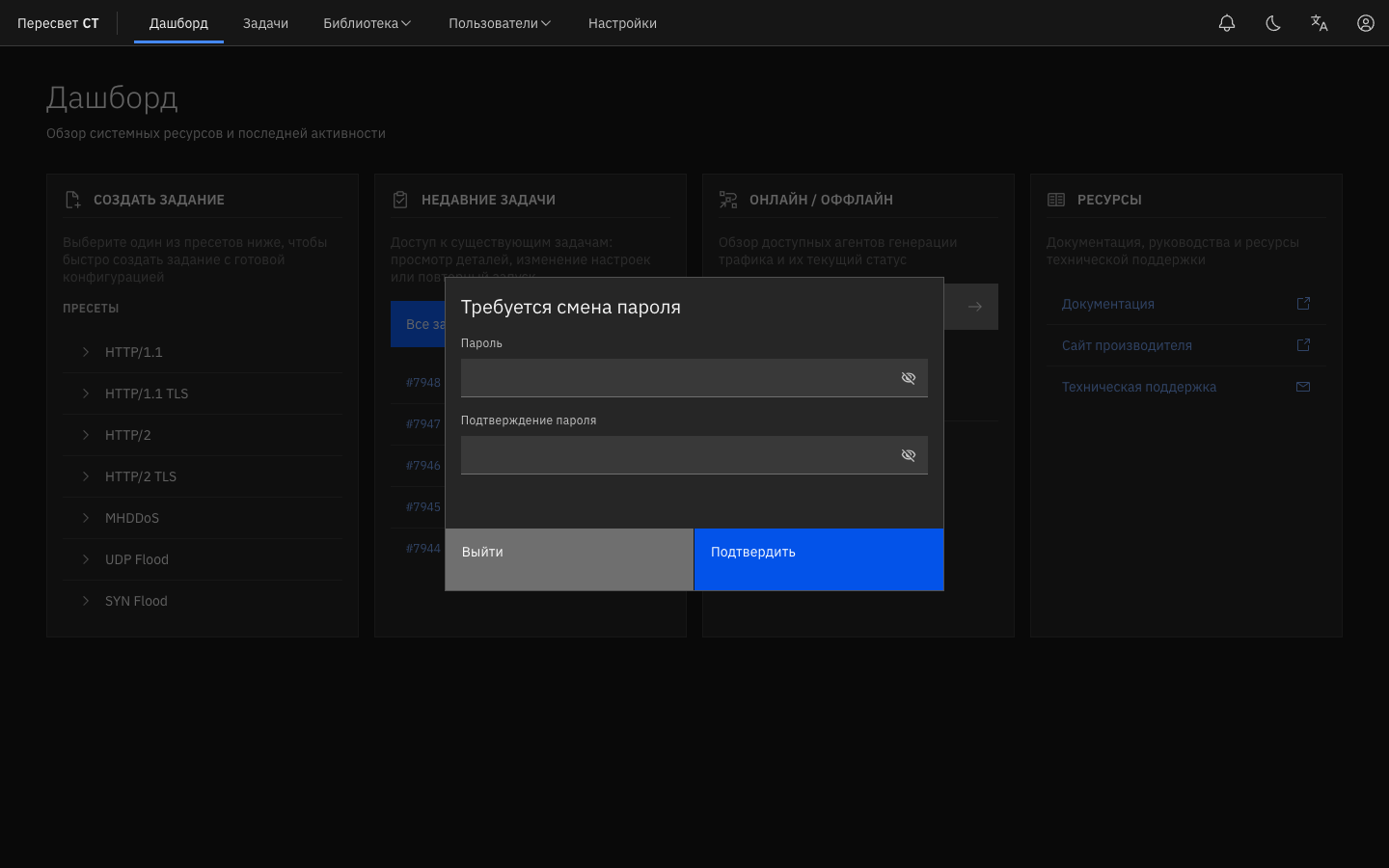
Figure 32 — Password Change Required dialog
Editing a User
- Go to Users → Users.
- Open the action menu next to the user and select Edit.
- Change the settings and click Apply.
Blocking a User
- Go to Users → Users.
- Select Block → Apply from the action menu.
- In the Status column, the value changes from Active to Blocked.
Deleting a User
- Go to Users → Users.
- Click the delete button and then click Confirm in the Delete User dialog.
AD/LDAP Integration
Peresvet ST integrates with Active Directory and LDAP for centralized account management.
Connecting to AD/LDAP
Configure the connection under Users and Groups. Specify the server address, Base DN, service-account credentials, and TLS parameters.
Importing Groups from AD/LDAP
After connecting, you can import groups. The selected groups are created in Peresvet ST and can be assigned permissions. Group membership is synchronized when a user signs in.
Importing Users from AD/LDAP
Members of imported groups gain access through domain authentication. You do not need to create accounts manually; a profile is created from directory attributes when the user first signs in.