DoS and DDoS Attacks
This section covers Peresvet ST client plugins for emulating DoS and DDoS loads: TCP/UDP floods, GRE/DNS/DHCP floods, ICMP/Ping/amplification/fragmentation, and the combined MHDDoS Emulation plugin. Use these plugins to test network resilience, filtering, and security controls in an isolated test environment.
Most flood plugins are stateless / one-arm: traffic is sent from an agent to the DUT. MHDDoS Emulation combines several vectors in one plugin and lets you enable each subplugin independently.
| Group | Plugins (catalog) |
|---|---|
| TCP Flood | SYN, SYN/ACK, ACK, RST, RST/ACK, FIN, FIN/ACK, PSH, PSH/ACK, Xmas (ID 3–9, 24–26) |
| UDP Flood | UDP Flood (ID 11) |
| GRE / DNS / DHCP | GRE Flood (28), DNS Flood (109); DHCP Flood is legacy |
| ICMP / Amplification / Fragmentation | ICMP Flood (103), ICMP Fragmentation (104), Ping (105), Ping of Death (106), DNS Amplification (107), UDP Fragmentation (108), NTP Amplification (110) |
| MHDDoS Emulation | Combined plugin (ID 23) with SYN/UDP/GRE/STRESS/BYPASS/HTTP TEMPLATE and other subplugins |
Related but separate scenarios: WAF, including HTTP/2 Rapid Reset, and Fuzzing (L3–L7).
TCP Flood
SYN Flood
SYN Flood is a traffic-generation plugin that sends a large number of TCP connection requests (SYN packets) without completing the connection process.
The plugin has the following parameters:
- Sources — the selected agent, interfaces, and MAC addresses from which the agent sends and receives traffic. Table 48 describes the parameters.
Table 48 — Sources Parameters
| Name | Description | Value |
|---|---|---|
| Agent | Agent that sends and receives traffic. | Select an agent from the agent list |
| Network interface | Agent network interface that sends and receives traffic | Select an interface from the interface list |
| Network | Selected Network object whose parameters are used to send traffic. If several objects are selected, change the weight to balance packet distribution among them. | Select a Network object. Set its weight; by default, packets are distributed evenly among Network objects |
| MAC address | Selected MAC Address object whose parameters are used to send traffic | Select a MAC Address object. Random MAC address generates a random sender MAC address for every packet |
- Targets — parameters for selecting the object to which traffic is sent (see Adding a Receiver Network). Table 49 describes the parameters.
Table 49 — Targets Parameters
| Name | Description | Value |
|---|---|---|
| MAC address | Selected MAC Address object whose parameters are used to send traffic | Select a MAC Address object. Random MAC address generates a random receiver MAC address for every packet. |
| Target | Selected Network object whose parameters are used to send traffic to the selected target. | Select a Network object. |
- IP header (L3) — IP header settings at the L3 TCP/IP layer. Table 50 describes the parameters.
Table 50 — IP Header (L3) Parameters
| Name | Description | Value |
|---|---|---|
| TTL (Time to Live) | Maximum number of routers (hops) that a packet can traverse before it is discarded. | Enter a numeric value (default TTL: 128) |
| ToS (Type of Service) | DSCP is an IP header field that determines traffic priority and handling | Enter a numeric value (default DSCP: 7) |
| ToS (Type of Service) | ECN lets routers notify endpoints of network congestion without dropping packets. | Select: 00 (Non-ECT) 01 (ECT(1)) 10 (ECT(0)) 11 (CE (Congestion Experienced)) |
| Random ID | Randomly selected unique packet identifier used to distinguish fragments of the same IP packet | Enable/disable |
| ID value | Numeric identifier assigned to each IP packet for fragmentation and reassembly. Available when Random ID is disabled | Enter a numeric value (default ID Value: 0-65535) |
- TCP header (L4) — TCP header settings at the L4 TCP/IP layer. Table 51 describes the parameters.
Table 51 — TCP Header (L4) Parameters
| Name | Description | Value |
|---|---|---|
| Max. Segment Size | Maximum amount of data that can be transmitted in one TCP segment | Enter a numeric value (default Max. Segment Size: 1460) |
| WS (IP Options) | Window Scale increases the TCP window available for flow control. | Enter a numeric value (default WS: 64) |
| Window Size | Amount of data that can be sent without waiting for an acknowledgment from the receiver. | Enter a numeric value (default Window Size: 256) |
| Random Sequence Number | Random number used to initialize a sequence number in a communication protocol such as TCP | Enable/disable |
| Sequence Number value | Current sequence number indicating the order of data in the stream. Available when Random Sequence Number is disabled | Enter a numeric value (default Sequence Number: 0-4294967295) |
- Rate settings — packet transmission rate. Table 52 describes the parameter.
Table 52 — Rate Parameter
| Name | Description | Value |
|---|---|---|
| Unlimited toggle | Maximum performance without limiting the number of requests sent per second | Enable/disable |
| Packets per second | Number of packets sent in one second | Enter a numeric value |
| Interval between requests | Delay between transmissions at the configured requests-per-second rate. | Enter a numeric value |
- Duration — plugin run time. Table 53 describes the parameter.
Table 53 — Duration Parameter
| Name | Description | Value |
|---|---|---|
| Generation duration | Traffic generation time | Enter a numeric value and select seconds, minutes, or hours |
SYN/ACK Flood
SYN/ACK Flood is a traffic-generation plugin that sends a large number of SYN-ACK packets to a target, forcing it to process many connections.
The plugin has the following parameters:
- Sources — the selected agent, interfaces, and MAC addresses from which the agent sends and receives traffic. Table 54 describes the parameters.
Table 54 — Sources Parameters
| Name | Description | Value |
|---|---|---|
| Agent | Agent that sends and receives traffic. | Select an agent from the agent list |
| Network interface | Agent network interface that sends and receives traffic | Select an interface from the interface list |
| Network | Selected Network object whose parameters are used to send traffic. If several objects are selected, change the weight to balance packet distribution among them. | Select a Network object. Set its weight; by default, packets are distributed evenly among Network objects |
| MAC address | Selected MAC Address object whose parameters are used to send traffic | Select a MAC Address object. Random MAC address generates a random sender MAC address for every packet |
- Targets — parameters for selecting the object to which traffic is sent (see Adding a Receiver Network). Table 55 describes the parameters.
Table 55 — Targets Parameters
| Name | Description | Value |
|---|---|---|
| MAC address | Selected MAC Address object whose parameters are used to send traffic | Select a MAC Address object. Random MAC address generates a random receiver MAC address for every packet. |
| Target | Selected Network object whose parameters are used to send traffic to the selected target. | Select a Network object. |
- IP header (L3) — IP header settings at the L3 TCP/IP layer. Table 56 describes the parameters.
Table 56 — IP Header (L3) Parameters
| Name | Description | Value |
|---|---|---|
| TTL (Time to Live) | Maximum number of routers (hops) that a packet can traverse before it is discarded. | Enter a numeric value (default TTL: 128) |
| ToS (Type of Service) | DSCP is an IP header field that determines traffic priority and handling | Enter a numeric value (default DSCP: 7) |
| ToS (Type of Service) | ECN lets routers notify endpoints of network congestion without dropping packets. | Select: 00 (Non-ECT) 01 (ECT(1)) 10 (ECT(0)) 11 (CE (Congestion Experienced)) |
| Random ID | Randomly selected unique packet identifier used to distinguish fragments of the same IP packet | Enable/disable |
| ID value | Numeric identifier assigned to each IP packet for fragmentation and reassembly. Available when Random ID is disabled | Enter a numeric value (default ID Value: 0-65535) |
- TCP header (L4) — TCP header settings at the L4 TCP/IP layer. Table 57 describes the parameters.
Table 57 — TCP Header (L4) Parameters
| Name | Description | Value |
|---|---|---|
| Max. Segment Size | Maximum amount of data that can be transmitted in one TCP segment | Enter a numeric value (default Max. Segment Size: 1460) |
| WS (IP Options) | Window Scale increases the TCP window available for flow control. | Enter a numeric value (default WS: 64) |
| Window Size | Amount of data that can be sent without waiting for an acknowledgment from the receiver. | Enter a numeric value (default Window Size: 256) |
| Random Sequence Number | Random number used to initialize a sequence number in a communication protocol such as TCP | Enable/disable |
| Sequence Number value | Current sequence number indicating the order of data in the stream | Enter a numeric value (default Sequence Number: 0-4294967295) |
- Rate settings — packet transmission rate. Table 58 describes the parameter.
Table 58 — Rate Parameter
| Name | Description | Value |
|---|---|---|
| Unlimited toggle | Maximum performance without limiting the number of requests sent per second | Enable/disable |
| Packets per second | Number of packets sent in one second | Enter a numeric value |
| Interval between requests | Delay between transmissions at the configured requests-per-second rate. | Enter a numeric value |
- Duration — plugin run time. Table 59 describes the parameter.
Table 59 — Duration Parameter
| Name | Description | Value |
|---|---|---|
| Generation duration | Traffic generation time | Enter a numeric value and select seconds, minutes, or hours |
ACK Flood
ACK Flood is a traffic-generation plugin that sends a large number of packets with the ACK flag set to a target, forcing it to process many connections.
The plugin has the following parameters:
-
Sources — the selected agent, interfaces, and MAC addresses from which the agent sends and receives traffic. Table 60 describes the parameters.
Table 60 — Sources Parameters | Name | Description | Value | | ----- | ----- | ----- | | Agent | Agent that sends and receives traffic. | Select an agent from the agent list | | Network interface | Agent network interface that sends and receives traffic | Select an interface from the interface list | | Network | Selected Network object whose parameters are used to send traffic. If several objects are selected, change the weight to balance packet distribution among them. | Select a Network object. Set its weight; by default, packets are distributed evenly among Network objects | | MAC address | Selected MAC Address object whose parameters are used to send traffic | Select a MAC Address object. Random MAC address generates a random sender MAC address for every packet |
-
Targets — parameters for selecting the object to which traffic is sent (see Adding a Receiver Network). | Name | Description | Value | | ----- | ----- | ----- | | MAC address | Selected MAC Address object whose parameters are used to send traffic | Select a MAC Address object. Random MAC address generates a random receiver MAC address for every packet. | | Target | Selected Network object whose parameters are used to send traffic to the selected target. | Select a Network object. |
-
IP header (L3) — IP header settings at the L3 TCP/IP layer. Table 61 describes the parameters.
Table 61 — IP Header (L3) Parameters
| Name | Description | Value |
|---|---|---|
| TTL (Time to Live) | Maximum number of routers (hops) that a packet can traverse before it is discarded. | Enter a numeric value (default TTL: 128) |
| ToS (Type of Service) | DSCP is an IP header field that determines traffic priority and handling | Enter a numeric value (default DSCP: 7) |
| ToS (Type of Service) | ECN lets routers notify endpoints of network congestion without dropping packets. | Select: 00 (Non-ECT) 01 (ECT(1)) 10 (ECT(0)) 11 (CE (Congestion Experienced)) |
| Random ID | Randomly selected unique packet identifier used to distinguish fragments of the same IP packet | Enable/disable |
| ID value | Numeric identifier assigned to each IP packet for fragmentation and reassembly. Available when Random ID is disabled | Enter a numeric value (default ID Value: 0-65535) |
- TCP header (L4) — TCP header settings at the L4 TCP/IP layer. Table 62 describes the parameters.
Table 62 — TCP Header (L4) Parameters
| Name | Description | Value |
|---|---|---|
| Max. Segment Size | Maximum amount of data that can be transmitted in one TCP segment | Enter a numeric value (default Max. Segment Size: 1460) |
| WS (IP Options) | Window Scale increases the TCP window available for flow control. | Enter a numeric value (default WS: 64) |
| Window Size | Amount of data that can be sent without waiting for an acknowledgment from the receiver. | Enter a numeric value (default Window Size: 256) |
| Random Sequence Number | Random number used to initialize a sequence number in a communication protocol such as TCP | Enable/disable |
| Sequence Number value | Current sequence number indicating the order of data in the stream | Enter a numeric value (default Sequence Number: 0-4294967295) |
- Rate settings — packet transmission rate. Table 63 describes the parameter.
Table 63 — Rate Parameter
| Name | Description | Value |
|---|---|---|
| Unlimited toggle | Maximum performance without limiting the number of requests sent per second | Enable/disable |
| Packets per second | Number of packets sent in one second | Enter a numeric value |
| Interval between requests | Delay between transmissions at the configured requests-per-second rate. | Enter a numeric value |
- Duration — plugin run time. Table 64 describes the parameter.
Table 64 — Duration Parameter
| Name | Description | Value |
|---|---|---|
| Generation duration | Traffic generation time | Enter a numeric value and select seconds, minutes, or hours |
RST Flood
RST Flood is a traffic-generation plugin that sends a large number of packets with the RST flag set to a target, resetting active TCP connections on the target server.
The plugin has the following parameters:
-
Sources — the selected agent, interfaces, and MAC addresses from which the agent sends and receives traffic. Table 65 describes the parameters.
Table 65 — Sources Parameters | Name | Description | Value | | ----- | ----- | ----- | | Agent | Agent that sends and receives traffic. | Select an agent from the agent list | | Network interface | Agent network interface that sends and receives traffic | Select an interface from the interface list | | Network | Selected Network object whose parameters are used to send traffic. If several objects are selected, change the weight to balance packet distribution among them. | Select a Network object. Set its weight; by default, packets are distributed evenly among Network objects | | MAC address | Selected MAC Address object whose parameters are used to send traffic | Select a MAC Address object. Random MAC address generates a random sender MAC address for every packet |
-
Targets — parameters for selecting the object to which traffic is sent (see Adding a Receiver Network). Table 66 describes the parameters.
Table 66 — Targets Parameters
| Name | Description | Value |
|---|---|---|
| MAC address | Selected MAC Address object whose parameters are used to send traffic | Select a MAC Address object. Random MAC address generates a random receiver MAC address for every packet. |
| Target | Selected Network object whose parameters are used to send traffic to the selected target. | Select a Network object. |
- IP header (L3) — IP header settings at the L3 TCP/IP layer. Table 67 describes the parameters.
Table 67 — IP Header (L3) Parameters
| Name | Description | Value |
|---|---|---|
| TTL (Time to Live) | Maximum number of routers (hops) that a packet can traverse before it is discarded. | Enter a numeric value (default TTL: 128) |
| ToS (Type of Service) | DSCP is an IP header field that determines traffic priority and handling | Enter a numeric value (default DSCP: 7) |
| ToS (Type of Service) | ECN lets routers notify endpoints of network congestion without dropping packets. | Select: 00 (Non-ECT) 01 (ECT(1)) 10 (ECT(0)) 11 (CE (Congestion Experienced)) |
| Random ID | Randomly selected unique packet identifier used to distinguish fragments of the same IP packet | Enable/disable |
| ID value | Numeric identifier assigned to each IP packet for fragmentation and reassembly. Available when Random ID is disabled | Enter a numeric value (default ID Value: 0-65535) |
- TCP header (L4) — TCP header settings at the L4 TCP/IP layer. Table 68 describes the parameters.
Table 68 — TCP Header (L4) Parameters
| Name | Description | Value |
|---|---|---|
| Max. Segment Size | Maximum amount of data that can be transmitted in one TCP segment | Enter a numeric value (default Max. Segment Size: 1460) |
| WS (IP Options) | Window Scale increases the TCP window available for flow control. | Enter a numeric value (default WS: 64) |
| Window Size | Amount of data that can be sent without waiting for an acknowledgment from the receiver. | Enter a numeric value (default Window Size: 256) |
| Random Sequence Number | Random number used to initialize a sequence number in a communication protocol such as TCP | Enable/disable |
| Sequence Number value | Current sequence number indicating the order of data in the stream | Enter a numeric value (default Sequence Number: 0-4294967295) |
- Rate settings — packet transmission rate. Table 69 describes the parameter.
Table 69 — Rate Parameter
| Name | Description | Value |
|---|---|---|
| Unlimited toggle | Maximum performance without limiting the number of requests sent per second | Enable/disable |
| Packets per second | Number of packets sent in one second | Enter a numeric value |
| Interval between requests | Delay between transmissions at the configured requests-per-second rate. | Enter a numeric value |
- Duration — plugin run time. Table 70 describes the parameter.
Table 70 — Duration Parameter
| Name | Description | Value |
|---|---|---|
| Generation duration | Traffic generation time | Enter a numeric value and select seconds, minutes, or hours |
RST/ACK Flood
RST/ACK Flood is a traffic-generation plugin that sends a large number of packets with the RST and ACK flags set, resetting connections and disrupting normal data exchange.
The plugin has the following parameters:
- Sources — the selected agent, interfaces, and MAC addresses from which the agent sends and receives traffic. Table 71 describes the parameters.
Table 71 — Sources Parameters
| Name | Description | Value |
|---|---|---|
| Agent | Agent that sends and receives traffic. | Select an agent from the agent list |
| Network interface | Agent network interface that sends and receives traffic | Select an interface from the interface list |
| Network | Selected Network object whose parameters are used to send traffic. If several objects are selected, change the weight to balance packet distribution among them. | Select a Network object. Set its weight; by default, packets are distributed evenly among Network objects |
| MAC address | Selected MAC Address object whose parameters are used to send traffic | Select a MAC Address object. Random MAC address generates a random sender MAC address for every packet |
- Targets — parameters for selecting the object to which traffic is sent (see Adding a Receiver Network). Table 72 describes the parameters.
Table 72 — Targets Parameters
| Name | Description | Value |
|---|---|---|
| MAC address | Selected MAC Address object whose parameters are used to send traffic | Select a MAC Address object. Random MAC address generates a random receiver MAC address for every packet. |
| Target | Selected Network object whose parameters are used to send traffic to the selected target. | Select a Network object. |
- IP header (L3) — IP header settings at the L3 TCP/IP layer. Table 73 describes the parameters.
Table 73 — IP Header (L3) Parameters
| Name | Description | Value |
|---|---|---|
| TTL (Time to Live) | Maximum number of routers (hops) that a packet can traverse before it is discarded. | Enter a numeric value (default TTL: 128) |
| ToS (Type of Service) | DSCP is an IP header field that determines traffic priority and handling | Enter a numeric value (default DSCP: 7) |
| ToS (Type of Service) | ECN lets routers notify endpoints of network congestion without dropping packets. | Select: 00 (Non-ECT) 01 (ECT(1)) 10 (ECT(0)) 11 (CE (Congestion Experienced)) |
| Random ID | Randomly selected unique packet identifier used to distinguish fragments of the same IP packet | Enable/disable |
| ID value | Numeric identifier assigned to each IP packet for fragmentation and reassembly. Available when Random ID is disabled | Enter a numeric value (default ID Value: 0-65535) |
- TCP header (L4) — TCP header settings at the L4 TCP/IP layer. Table 74 describes the parameters.
Table 74 — TCP Header (L4) Parameters
| Name | Description | Value |
|---|---|---|
| Max. Segment Size | Maximum amount of data that can be transmitted in one TCP segment | Enter a numeric value (default Max. Segment Size: 1460) |
| WS (IP Options) | Window Scale increases the TCP window available for flow control. | Enter a numeric value (default WS: 64) |
| Window Size | Amount of data that can be sent without waiting for an acknowledgment from the receiver. | Enter a numeric value (default Window Size: 256) |
| Random Sequence Number | Random number used to initialize a sequence number in a communication protocol such as TCP | Enable/disable |
| Sequence Number value | Current sequence number indicating the order of data in the stream | Enter a numeric value (default Sequence Number: 0-4294967295) |
- Rate settings — packet transmission rate. Table 75 describes the parameter.
Table 75 — Rate Parameter
| Name | Description | Value |
|---|---|---|
| Unlimited toggle | Maximum performance without limiting the number of requests sent per second | Enable/disable |
| Packets per second | Number of packets sent in one second | Enter a numeric value |
| Interval between requests | Delay between transmissions at the configured requests-per-second rate. | Enter a numeric value |
- Duration — plugin run time. Table 76 describes the parameter.
Table 76 — Duration Parameter
| Name | Description | Value |
|---|---|---|
| Generation duration | Traffic generation time | Enter a numeric value and select seconds, minutes, or hours |
FIN Flood
FIN Flood is a traffic-generation plugin that sends a large number of packets with the FIN flag set to terminate TCP connections. Use this pattern to test server resilience against unexpected connection-termination requests.
The plugin has the following parameters:
- Sources — the selected agent, interfaces, and MAC addresses from which the agent sends and receives traffic. Table 77 describes the parameters.
Table 77 — Sources Parameters
| Name | Description | Value |
|---|---|---|
| Agent | Agent that sends and receives traffic. | Select an agent from the agent list |
| Network interface | Agent network interface that sends and receives traffic | Select an interface from the interface list |
| Network | Selected Network object whose parameters are used to send traffic. If several objects are selected, change the weight to balance packet distribution among them. | Select a Network object. Set its weight; by default, packets are distributed evenly among Network objects |
| MAC address | Selected MAC Address object whose parameters are used to send traffic | Select a MAC Address object. Random MAC address generates a random sender MAC address for every packet |
- Targets — parameters for selecting the object to which traffic is sent (see Adding a Receiver Network). Table 78 describes the parameters.
Table 78 — Targets Parameters
| Name | Description | Value |
|---|---|---|
| MAC address | Selected MAC Address object whose parameters are used to send traffic | Select a MAC Address object. Random MAC address generates a random receiver MAC address for every packet. |
| Target | Selected Network object whose parameters are used to send traffic to the selected target. | Select a Network object. |
- IP header (L3) — IP header settings at the L3 TCP/IP layer. Table 79 describes the parameters.
Table 79 — IP Header (L3) Parameters
| Name | Description | Value |
|---|---|---|
| TTL (Time to Live) | Maximum number of routers (hops) that a packet can traverse before it is discarded. | Enter a numeric value (default TTL: 128) |
| ToS (Type of Service) | DSCP is an IP header field that determines traffic priority and handling | Enter a numeric value (default DSCP: 7) |
| ToS (Type of Service) | ECN lets routers notify endpoints of network congestion without dropping packets. | Select: 00 (Non-ECT) 01 (ECT(1)) 10 (ECT(0)) 11 (CE (Congestion Experienced)) |
| Random ID | Randomly selected unique packet identifier used to distinguish fragments of the same IP packet | Enable/disable |
| ID value | Numeric identifier assigned to each IP packet for fragmentation and reassembly. Available when Random ID is disabled | Enter a numeric value (default ID Value: 0-65535) |
- TCP header (L4) — TCP header settings at the L4 TCP/IP layer. Table 80 describes the parameters.
Table 80 — TCP Header (L4) Parameters
| Name | Description | Value |
|---|---|---|
| Max. Segment Size | Maximum amount of data that can be transmitted in one TCP segment | Enter a numeric value (default Max. Segment Size: 1460) |
| WS (IP Options) | Window Scale increases the TCP window available for flow control. | Enter a numeric value (default WS: 64) |
| Window Size | Amount of data that can be sent without waiting for an acknowledgment from the receiver. | Enter a numeric value (default Window Size: 256) |
| Random Sequence Number | Random number used to initialize a sequence number in a communication protocol such as TCP | Enable/disable |
| Sequence Number value | Current sequence number indicating the order of data in the stream | Enter a numeric value (default Sequence Number: 0-4294967295) |
- Rate settings — packet transmission rate. Table 81 describes the parameter.
Table 81 — Rate Parameter
| Name | Description | Value |
|---|---|---|
| Unlimited toggle | Maximum performance without limiting the number of requests sent per second | Enable/disable |
| Packets per second | Number of packets sent in one second | Enter a numeric value |
| Interval between requests | Delay between transmissions at the configured requests-per-second rate. | Enter a numeric value |
- Duration — plugin run time. Table 82 describes the parameter.
Table 82 — Duration Parameter
| Name | Description | Value |
|---|---|---|
| Generation duration | Traffic generation time | Enter a numeric value and select seconds, minutes, or hours |
FIN/ACK Flood
FIN/ACK Flood is a traffic-generation plugin that sends a large number of packets with the FIN and ACK flags set, potentially terminating active connections unnecessarily. Use this pattern to test how the server handles such requests.
The plugin has the following parameters:
- Sources — the selected agent, interfaces, and MAC addresses from which the agent sends and receives traffic. Table 83 describes the parameters.
Table 83 — Sources Parameters
| Name | Description | Value |
|---|---|---|
| Agent | Agent that sends and receives traffic. | Select an agent from the agent list |
| Network interface | Agent network interface that sends and receives traffic | Select an interface from the interface list |
| Network | Selected Network object whose parameters are used to send traffic. If several objects are selected, change the weight to balance packet distribution among them. | Select a Network object. Set its weight; by default, packets are distributed evenly among Network objects |
| MAC address | Selected MAC Address object whose parameters are used to send traffic | Select a MAC Address object. Random MAC address generates a random sender MAC address for every packet |
- Targets — parameters for selecting the object to which traffic is sent (see Adding a Receiver Network). Table 84 describes the parameters.
Table 84 — Targets Parameters
| Name | Description | Value |
|---|---|---|
| MAC address | Selected MAC Address object whose parameters are used to send traffic | Select a MAC Address object. Random MAC address generates a random receiver MAC address for every packet. |
| Target | Selected Network object whose parameters are used to send traffic to the selected target. | Select a Network object. |
- IP header (L3) — IP header settings at the L3 TCP/IP layer. Table 85 describes the parameters.
Table 85 — IP Header (L3) Parameters
| Name | Description | Value |
|---|---|---|
| TTL (Time to Live) | Maximum number of routers (hops) that a packet can traverse before it is discarded. | Enter a numeric value (default TTL: 128) |
| ToS (Type of Service) | DSCP is an IP header field that determines traffic priority and handling | Enter a numeric value (default DSCP: 7) |
| ToS (Type of Service) | ECN lets routers notify endpoints of network congestion without dropping packets. | Select: 00 (Non-ECT) 01 (ECT(1)) 10 (ECT(0)) 11 (CE (Congestion Experienced)) |
| Random ID | Randomly selected unique packet identifier used to distinguish fragments of the same IP packet | Enable/disable |
| ID value | Numeric identifier assigned to each IP packet for fragmentation and reassembly. Available when Random ID is disabled | Enter a numeric value (default ID Value: 0-65535) |
- TCP header (L4) — TCP header settings at the L4 TCP/IP layer. Table 86 describes the parameters.
Table 86 — TCP Header (L4) Parameters
| Name | Description | Value |
|---|---|---|
| Max. Segment Size | Maximum amount of data that can be transmitted in one TCP segment | Enter a numeric value (default Max. Segment Size: 1460) |
| WS (IP Options) | Window Scale increases the TCP window available for flow control. | Enter a numeric value (default WS: 64) |
| Window Size | Amount of data that can be sent without waiting for an acknowledgment from the receiver. | Enter a numeric value (default Window Size: 256) |
| Random Sequence Number | Random number used to initialize a sequence number in a communication protocol such as TCP | Enable/disable |
| Sequence Number value | Current sequence number indicating the order of data in the stream | Enter a numeric value (default Sequence Number: 0-4294967295) |
- Rate settings — packet transmission rate. Table 87 describes the parameter.
Table 87 — Rate Parameter
| Name | Description | Value |
|---|---|---|
| Unlimited toggle | Maximum performance without limiting the number of requests sent per second | Enable/disable |
| Packets per second | Number of packets sent in one second | Enter a numeric value |
| Interval between requests | Delay between transmissions at the configured requests-per-second rate. | Enter a numeric value |
- Duration — plugin run time. Table 88 describes the parameter.
Table 88 — Duration Parameter
| Name | Description | Value |
|---|---|---|
| Generation duration | Traffic generation time | Enter a numeric value and select seconds, minutes, or hours |
PSH Flood
PSH Flood is a traffic-generation plugin that sends a large number of packets with the PSH flag set, requiring immediate data processing at the receiver. Use this pattern to test server throughput and its ability to process high-intensity traffic.
The plugin has the following parameters:
-
Sources — the selected agent, interfaces, and MAC addresses from which the agent sends and receives traffic. Table 89 describes the parameters.
Table 89 — Sources Parameters | Name | Description | Value | | ----- | ----- | ----- | | Agent | Agent that sends and receives traffic. | Select an agent from the agent list | | Network interface | Agent network interface that sends and receives traffic | Select an interface from the interface list | | Network | Selected Network object whose parameters are used to send traffic. If several objects are selected, change the weight to balance packet distribution among them. | Select a Network object. Set its weight; by default, packets are distributed evenly among Network objects | | MAC address | Selected MAC Address object whose parameters are used to send traffic | Select a MAC Address object. Random MAC address generates a random sender MAC address for every packet |
-
Targets — parameters for selecting the object to which traffic is sent (see Adding a Receiver Network). Table 90 describes the parameters.
Table 90 — Targets Parameters
| Name | Description | Value |
|---|---|---|
| MAC address | Selected MAC Address object whose parameters are used to send traffic | Select a MAC Address object. Random MAC address generates a random receiver MAC address for every packet. |
| Target | Selected Network object whose parameters are used to send traffic to the selected target. | Select a Network object. |
- IP header (L3) — IP header settings at the L3 TCP/IP layer. Table 91 describes the parameters.
Table 91 — IP Header (L3) Parameters
| Name | Description | Value |
|---|---|---|
| TTL (Time to Live) | Maximum number of routers (hops) that a packet can traverse before it is discarded. | Enter a numeric value (default TTL: 128) |
| ToS (Type of Service) | DSCP is an IP header field that determines traffic priority and handling | Enter a numeric value (default DSCP: 7) |
| ToS (Type of Service) | ECN lets routers notify endpoints of network congestion without dropping packets. | Select: 00 (Non-ECT) 01 (ECT(1)) 10 (ECT(0)) 11 (CE (Congestion Experienced)) |
| Random ID | Randomly selected unique packet identifier used to distinguish fragments of the same IP packet | Enable/disable |
| ID value | Numeric identifier assigned to each IP packet for fragmentation and reassembly. Available when Random ID is disabled | Enter a numeric value (default ID Value: 0-65535) |
- TCP header (L4) — TCP header settings at the L4 TCP/IP layer. Table 92 describes the parameters.
Table 92 — TCP Header (L4) Parameters
| Name | Description | Value |
|---|---|---|
| Max. Segment Size | Maximum amount of data that can be transmitted in one TCP segment | Enter a numeric value (default Max. Segment Size: 1460) |
| WS (IP Options) | Window Scale increases the TCP window available for flow control. | Enter a numeric value (default WS: 64) |
| Window Size | Amount of data that can be sent without waiting for an acknowledgment from the receiver. | Enter a numeric value (default Window Size: 256) |
| Random Sequence Number | Random number used to initialize a sequence number in a communication protocol such as TCP | Enable/disable |
| Sequence Number value | Current sequence number indicating the order of data in the stream | Enter a numeric value (default Sequence Number: 0-4294967295) |
- Rate settings — packet transmission rate. Table 93 describes the parameter.
Table 93 — Rate Parameter
| Name | Description | Value |
|---|---|---|
| Unlimited toggle | Maximum performance without limiting the number of requests sent per second | Enable/disable |
| Packets per second | Number of packets sent in one second | Enter a numeric value |
| Interval between requests | Delay between transmissions at the configured requests-per-second rate. | Enter a numeric value |
- Duration — plugin run time. Table 94 describes the parameter.
Table 94 — Duration Parameter
| Name | Description | Value |
|---|---|---|
| Generation duration | Traffic generation time | Enter a numeric value and select seconds, minutes, or hours |
PSH/ACK Flood
PSH/ACK Flood is a traffic-generation plugin that sends a large number of packets with the PSH and ACK flags set, loading the server because it must process the data immediately. Use this pattern to evaluate how the server handles high request intensity.
The plugin has the following parameters:
- Sources — the selected agent, interfaces, and MAC addresses from which the agent sends and receives traffic. Table 95 describes the parameters.
Table 95 — Sources Parameters
| Name | Description | Value |
|---|---|---|
| Agent | Agent that sends and receives traffic. | Select an agent from the agent list |
| Network interface | Agent network interface that sends and receives traffic | Select an interface from the interface list |
| Network | Selected Network object whose parameters are used to send traffic. If several objects are selected, change the weight to balance packet distribution among them. | Select a Network object. Set its weight; by default, packets are distributed evenly among Network objects |
| MAC address | Selected MAC Address object whose parameters are used to send traffic | Select a MAC Address object. Random MAC address generates a random sender MAC address for every packet |
- Targets — parameters for selecting the object to which traffic is sent (see Adding a Receiver Network). Table 96 describes the parameters.
Table 96 — Targets Parameters
| Name | Description | Value |
|---|---|---|
| MAC address | Selected MAC Address object whose parameters are used to send traffic | Select a MAC Address object. Random MAC address generates a random receiver MAC address for every packet. |
| Target | Selected Network object whose parameters are used to send traffic to the selected target. | Select a Network object. |
- IP header (L3) — IP header settings at the L3 TCP/IP layer. Table 97 describes the parameters.
Table 97 — IP Header (L3) Parameters
| Name | Description | Value |
|---|---|---|
| TTL (Time to Live) | Maximum number of routers (hops) that a packet can traverse before it is discarded. | Enter a numeric value (default TTL: 128) |
| ToS (Type of Service) | DSCP is an IP header field that determines traffic priority and handling | Enter a numeric value (default DSCP: 7) |
| ToS (Type of Service) | ECN lets routers notify endpoints of network congestion without dropping packets. | Select: 00 (Non-ECT) 01 (ECT(1)) 10 (ECT(0)) 11 (CE (Congestion Experienced)) |
| Random ID | Randomly selected unique packet identifier used to distinguish fragments of the same IP packet | Enable/disable |
| ID value | Numeric identifier assigned to each IP packet for fragmentation and reassembly. Available when Random ID is disabled | Enter a numeric value (default ID Value: 0-65535) |
- TCP header (L4) — TCP header settings at the L4 TCP/IP layer. Table 98 describes the parameters.
Table 98 — TCP Header (L4) Parameters
| Name | Description | Value |
|---|---|---|
| Max. Segment Size | Maximum amount of data that can be transmitted in one TCP segment | Enter a numeric value (default Max. Segment Size: 1460) |
| WS (IP Options) | Window Scale increases the TCP window available for flow control. | Enter a numeric value (default WS: 64) |
| Window Size | Amount of data that can be sent without waiting for an acknowledgment from the receiver. | Enter a numeric value (default Window Size: 256) |
| Random Sequence Number | Random number used to initialize a sequence number in a communication protocol such as TCP | Enable/disable |
| Sequence Number value | Current sequence number indicating the order of data in the stream | Enter a numeric value (default Sequence Number: 0-4294967295) |
- Rate settings — packet transmission rate. Table 99 describes the parameter.
Table 99 — Rate Parameter
| Name | Description | Value |
|---|---|---|
| Unlimited toggle | Maximum performance without limiting the number of requests sent per second | Enable/disable |
| Packets per second | Number of packets sent in one second | Enter a numeric value |
| Interval between requests | Delay between transmissions at the configured requests-per-second rate. | Enter a numeric value |
- Duration — plugin run time. Table 100 describes the parameter.
Table 100 — Duration Parameter
| Name | Description | Value |
|---|---|---|
| Generation duration | Traffic generation time | Enter a numeric value and select seconds, minutes, or hours |
Xmas Flood (All flags)
Xmas Flood (All flags) is a traffic-generation plugin that sends a large number of packets with every TCP flag set (URG, ACK, PSH, RST, SYN, FIN). Use this pattern to test the resilience of network devices and intrusion detection systems against unusual and potentially malicious packets.
The plugin has the following parameters:
- Sources — the selected agent, interfaces, and MAC addresses from which the agent sends and receives traffic. Table 101 describes the parameters.
Table 101 — Sources Parameters
| Name | Description | Value |
|---|---|---|
| Agent | Agent that sends and receives traffic. | Select an agent from the agent list |
| Network interface | Agent network interface that sends and receives traffic | Select an interface from the interface list |
| Network | Selected Network object whose parameters are used to send traffic. If several objects are selected, change the weight to balance packet distribution among them. | Select a Network object. Set its weight; by default, packets are distributed evenly among Network objects |
| MAC address | Selected MAC Address object whose parameters are used to send traffic | Select a MAC Address object. Random MAC address generates a random sender MAC address for every packet |
- Targets — parameters for selecting the object to which traffic is sent (see Adding a Receiver Network). Table 102 describes the parameters.
Table 102 — Targets Parameters
| Name | Description | Value |
|---|---|---|
| MAC address | Selected MAC Address object whose parameters are used to send traffic | Select a MAC Address object. Random MAC address generates a random receiver MAC address for every packet. |
| Target | Selected Network object whose parameters are used to send traffic to the selected target. | Select a Network object. |
- IP header (L3) — IP header settings at the L3 TCP/IP layer. Table 103 describes the parameters.
Table 103 — IP Header (L3) Parameters
| Name | Description | Value |
|---|---|---|
| TTL (Time to Live) | Maximum number of routers (hops) that a packet can traverse before it is discarded. | Enter a numeric value (default TTL: 128) |
| ToS (Type of Service) | DSCP is an IP header field that determines traffic priority and handling | Enter a numeric value (default DSCP: 7) |
| ToS (Type of Service) | ECN lets routers notify endpoints of network congestion without dropping packets. | Select: 00 (Non-ECT) 01 (ECT(1)) 10 (ECT(0)) 11 (CE (Congestion Experienced)) |
| Random ID | Randomly selected unique packet identifier used to distinguish fragments of the same IP packet | Enable/disable |
| ID value | Numeric identifier assigned to each IP packet for fragmentation and reassembly. Available when Random ID is disabled | Enter a numeric value (default ID Value: 0-65535) |
- TCP header (L4) — TCP header settings at the L4 TCP/IP layer. Table 104 describes the parameters.
Table 104 — TCP Header (L4) Parameters
| Name | Description | Value |
|---|---|---|
| Max. Segment Size | Maximum amount of data that can be transmitted in one TCP segment | Enter a numeric value (default Max. Segment Size: 1460) |
| WS (IP Options) | Window Scale increases the TCP window available for flow control. | Enter a numeric value (default WS: 64) |
| Window Size | Amount of data that can be sent without waiting for an acknowledgment from the receiver. | Enter a numeric value (default Window Size: 256) |
| Random Sequence Number | Random number used to initialize a sequence number in a communication protocol such as TCP | Enable/disable |
| Sequence Number value | Current sequence number indicating the order of data in the stream | Enter a numeric value (default Sequence Number: 0-4294967295) |
- Rate settings — packet transmission rate. Table 105 describes the parameter.
Table 105 — Rate Parameter
| Name | Description | Value |
|---|---|---|
| Unlimited toggle | Maximum performance without limiting the number of requests sent per second | Enable/disable |
| Packets per second | Number of packets sent in one second | Enter a numeric value |
| Interval between requests | Delay between transmissions at the configured requests-per-second rate. | Enter a numeric value |
- Duration — plugin run time. Table 106 describes the parameter.
Table 106 — Duration Parameter
| Name | Description | Value |
|---|---|---|
| Generation duration | Traffic generation time | Enter a numeric value and select seconds, minutes, or hours |
UDP Flood
UDP Flood is a traffic-generation plugin that sends a large volume of UDP packets to a target server, potentially exhausting network bandwidth and overloading server resources. Use this pattern to test network resilience against attacks that use UDP traffic.
The plugin has the following parameters:
- Sources — the selected agent, interfaces, and MAC addresses from which the agent sends and receives traffic. Table 107 describes the parameters.
Table 107 — Sources Parameters
| Name | Description | Value |
|---|---|---|
| Agent | Agent that sends and receives traffic. | Select an agent from the agent list |
| Network interface | Agent network interface that sends and receives traffic | Select an interface from the interface list |
| Network | Selected Network object whose parameters are used to send traffic. If several objects are selected, change the weight to balance packet distribution among them. | Select a Network object. Set its weight; by default, packets are distributed evenly among Network objects |
| MAC address | Selected MAC Address object whose parameters are used to send traffic | Select a MAC Address object. Random MAC address generates a random sender MAC address for every packet |
- Targets — parameters for selecting the object to which traffic is sent (see Adding a Receiver Network). Table 108 describes the parameters.
Table 108 — Targets Parameters
| Name | Description | Value |
|---|---|---|
| MAC address | Selected MAC Address object whose parameters are used to send traffic | Select a MAC Address object. Random MAC address generates a random receiver MAC address for every packet. |
| Target | Selected Network object whose parameters are used to send traffic to the selected target. | Select a Network object. |
- IP header (L3) — IP header settings at the L3 TCP/IP layer. Table 109 describes the parameters.
Table 109 — IP Header (L3) Parameters
| Name | Description | Value |
|---|---|---|
| TTL (Time to Live) | Maximum number of routers (hops) that a packet can traverse before it is discarded. | Enter a numeric value (default TTL: 128) |
| ToS (Type of Service) | DSCP is an IP header field that determines traffic priority and handling | Enter a numeric value (default DSCP: 7) |
| ToS (Type of Service) | ECN lets routers notify endpoints of network congestion without dropping packets. | Select: 00 (Non-ECT) 01 (ECT(1)) 10 (ECT(0)) 11 (CE (Congestion Experienced)) |
| Random ID | Randomly selected unique packet identifier used to distinguish fragments of the same IP packet | Enable/disable |
| ID value | Numeric identifier assigned to each IP packet for fragmentation and reassembly. Available when Random ID is disabled | Enter a numeric value (default ID Value: 0-65535) |
- Plugin parameters — UDP plugin settings. Table 110 describes the parameters.
Table 110 — Plugin Parameters
| Name | Description | Value |
|---|---|---|
| Invalid checksum | A checksum verifies data integrity in UDP packets. When enabled, transmitted packets contain an incorrect checksum, which may cause the receiver to reject or incorrectly process them. | Enable or disable the toggle |
| Send payload | Payload is the data carried in a UDP packet. This option controls whether the UDP packet includes a payload. | Enable or disable the toggle |
| If the Send payload toggle is enabled | ||
| Random data | Generates payload contents randomly. These may be random bytes or strings, making traffic less predictable. | Enable or disable the toggle |
| If the Random data toggle is disabled | ||
| Base64 string | Controls whether payload contents are interpreted or encoded as a Base64 string | Enable or disable the toggle |
| Payload size | Size of the data in the UDP packet payload. The value can range from 0 to 1300 bytes. | Enter numeric values (default: 0-1300) |
- Rate settings — packet transmission rate. Table 111 describes the parameter.
Table 111 — Rate Parameter
| Name | Description | Value |
|---|---|---|
| Unlimited toggle | Maximum performance without limiting the number of requests sent per second | Enable/disable |
| Packets per second | Number of packets sent in one second | Enter a numeric value |
| Interval between requests | Delay between transmissions at the configured requests-per-second rate. | Enter a numeric value |
- Duration — plugin run time. Table 112 describes the parameter.
Table 112 — Duration Parameter
| Name | Description | Value |
|---|---|---|
| Generation duration | Traffic generation time | Enter a numeric value and select seconds, minutes, or hours |
GRE, DNS, and DHCP Flood
GRE Flood
GRE Flood is a traffic-generation plugin that generates and sends a large number of packets with a GRE (Generic Routing Encapsulation) header to overload network bandwidth.
The plugin has the following parameters:
- Sources — the selected agent, interfaces, and MAC addresses from which the agent sends and receives traffic. Table 113 describes the parameters.
Table 113 — Sources Parameters
| Name | Description | Value |
|---|---|---|
| Agent | Agent that sends and receives traffic. | Select an agent from the agent list |
| Network interface | Agent network interface that sends and receives traffic | Select an interface from the interface list |
| Network | Selected Network object whose parameters are used to send traffic. If several objects are selected, change the weight to balance packet distribution among them. | Select a Network object. Set its weight; by default, packets are distributed evenly among Network objects |
| MAC address | Selected MAC Address object whose parameters are used to send traffic | Select a MAC Address object. Random MAC address generates a random sender MAC address for every packet |
- Targets — parameters for selecting the object to which traffic is sent (see Adding a Receiver Network). Table 114 describes the parameters.
Table 114 — Targets Parameters
| Name | Description | Value |
|---|---|---|
| MAC address | Selected MAC Address object whose parameters are used to send traffic | Select a MAC Address object. Random MAC address generates a random receiver MAC address for every packet. |
| Target | Selected Network object whose parameters are used to send traffic to the selected target. | Select a Network object. |
- IP header (L3) — IP header settings at the L3 TCP/IP layer. Table 115 describes the parameters.
Table 115 — IP Header (L3) Parameters
| Name | Description | Value |
|---|---|---|
| TTL (Time to Live) | Maximum number of routers (hops) that a packet can traverse before it is discarded. | Enter a numeric value (default TTL: 128) |
| ToS (Type of Service) | DSCP is an IP header field that determines traffic priority and handling | Enter a numeric value (default DSCP: 7) |
| ToS (Type of Service) | ECN lets routers notify endpoints of network congestion without dropping packets. | Select: 00 (Non-ECT) 01 (ECT(1)) 10 (ECT(0)) 11 (CE (Congestion Experienced)) |
| Random ID | Randomly selected unique packet identifier used to distinguish fragments of the same IP packet | Enable/disable |
| ID value | Numeric identifier assigned to each IP packet for fragmentation and reassembly. Available when Random ID is disabled | Enter a numeric value (default ID Value: 0-65535) |
- Plugin parameters — GRE plugin settings. Table 116 describes the parameters.
Table 116 — Plugin Parameters
| Name | Description | Value |
|---|---|---|
| Invalid checksum | A checksum verifies data integrity in IP packets. When enabled, transmitted packets contain an incorrect checksum, which may cause the receiver to reject or incorrectly process them. | Enable or disable the toggle |
- Rate settings — packet transmission rate. Table 117 describes the parameter.
Table 117 — Rate Parameter
| Name | Description | Value |
|---|---|---|
| Unlimited toggle | Maximum performance without limiting the number of requests sent per second | Enable/disable |
| Packets per second | Number of packets sent in one second | Enter a numeric value |
| Interval between requests | Delay between transmissions at the configured requests-per-second rate. | Enter a numeric value |
- Duration — plugin run time. Table 118 describes the parameter.
Table 118 — Duration Parameter
| Name | Description | Value |
|---|---|---|
| Generation duration | Traffic generation time | Enter a numeric value and select seconds, minutes, or hours |
DNS Flood
DNS Flood is a plugin that generates UDP/53 DNS queries with a valid DNS header and question. It supports random or configured domain names, the Recursion Desired (RD) flag, and QPS configuration. Use it to test DNS servers, resolvers, and filtering systems under high query intensity.
Summary of the Plugin parameters tab:
| Name | Description | Value |
|---|---|---|
| Recursion Desired (RD) | RD flag in the DNS query | Enable/disable (enabled by default) |
| Random domains | Generate a random valid name in every query | Enable/disable |
| Domains | Domain list used when Random domains is disabled | Add one or more names |
| Invalid checksum | Incorrect packet checksum | Enable/disable |
Metrics dashboard: DNS Flood / ddos_dns_flood.
The complete set of common tabs (sources, targets, L3, rate, and duration) is provided below for step-by-step configuration.
The plugin has the following parameters:
- Sources — the selected agent, interfaces, and MAC addresses from which the agent sends and receives traffic. Table 119 describes the parameters.
Table 119 — Sources Parameters
| Name | Description | Value |
|---|---|---|
| Agent | Agent that sends and receives traffic. | Select an agent from the agent list |
| Network interface | Agent network interface that sends and receives traffic | Select an interface from the interface list |
| Network | Selected Network object whose parameters are used to send traffic. If several objects are selected, change the weight to balance packet distribution among them. | Select a Network object. Set its weight; by default, packets are distributed evenly among Network objects |
| MAC address | Selected MAC Address object whose parameters are used to send traffic | Select a MAC Address object. Random MAC address generates a random sender MAC address for every packet |
- Targets — parameters for selecting the object to which traffic is sent (see Adding a Receiver Network). Table 120 describes the parameters.
Table 120 — Targets Parameters
| Name | Description | Value |
|---|---|---|
| MAC address | Selected MAC Address object whose parameters are used to send traffic | Select a MAC Address object. Random MAC address generates a random receiver MAC address for every packet. |
| Target | Selected Network object whose parameters are used to send traffic to the selected target. | Select a Network object. |
- IP header (L3) — IP header settings at the L3 TCP/IP layer. Table 121 describes the parameters.
Table 121 — IP Header (L3) Parameters
| Name | Description | Value |
|---|---|---|
| TTL (Time to Live) | Maximum number of routers (hops) that a packet can traverse before it is discarded. | Enter a numeric value (default TTL: 128) |
| ToS (Type of Service) | DSCP is an IP header field that determines traffic priority and handling | Enter a numeric value (default DSCP: 7) |
| ToS (Type of Service) | ECN lets routers notify endpoints of network congestion without dropping packets. | Select: 00 (Non-ECT) 01 (ECT(1)) 10 (ECT(0)) 11 (CE (Congestion Experienced)) |
| Random ID | Randomly selected unique packet identifier used to distinguish fragments of the same IP packet | Enable/disable |
| ID value | Numeric identifier assigned to each IP packet for fragmentation and reassembly. Available when Random ID is disabled | Enter a numeric value (default ID Value: 0-65535) |
- Plugin parameters — DNS Flood plugin settings. Table 122 describes the parameters.
Table 122 — Plugin Parameters
| Name | Description | Value |
|---|---|---|
| Invalid checksum | A checksum verifies data integrity in IP packets. When enabled, transmitted packets contain an incorrect checksum, which may cause the receiver to reject or incorrectly process them. | Enable or disable the toggle |
- Rate settings — packet transmission rate. Table 123 describes the parameter.
Table 123 — Rate Parameter
| Name | Description | Value |
|---|---|---|
| Unlimited toggle | Maximum performance without limiting the number of requests sent per second | Enable/disable |
| Packets per second | Number of packets sent in one second | Enter a numeric value |
| Interval between requests | Delay between transmissions at the configured requests-per-second rate. | Enter a numeric value |
- Duration — plugin run time. Table 124 describes the parameter.
Table 124 — Duration Parameter
| Name | Description | Value |
|---|---|---|
| Generation duration | Traffic generation time | Enter a numeric value and select seconds, minutes, or hours |
DHCP Flood* (legacy, not available in the current catalog)
Status: the current dictionary (
dict.json) and current-branch core do not contain a separate DHCP Flood plugin. This section is retained as a legacy description. For subscriber-side DHCP, use Access Groups (DHCPv4/DHCPv6). For L3/L4 flood traffic, use plugins in the 103–110 family.
DHCP Flood is a historical description of generating large volumes of DHCP Discover / DHCP Request traffic.
The plugin has the following parameters:
- Sources — the selected agent, interfaces, and MAC addresses from which the agent sends and receives traffic. Table 125 describes the parameters.
Table 125 — Sources Parameters
| Name | Description | Value |
|---|---|---|
| Agent | Agent that sends and receives traffic. | Select an agent from the agent list |
| Network interface | Agent network interface that sends and receives traffic | Select an interface from the interface list |
| Network | Selected Network object whose parameters are used to send traffic. If several objects are selected, change the weight to balance packet distribution among them. | Select a Network object. Set its weight; by default, packets are distributed evenly among Network objects |
| MAC address | Selected MAC Address object whose parameters are used to send traffic | Select a MAC Address object. Random MAC address generates a random sender MAC address for every packet |
- Targets — parameters for selecting the object to which traffic is sent (see Adding a Receiver Network). Table 126 describes the parameters.
Table 126 — Targets Parameters
| Name | Description | Value |
|---|---|---|
| MAC address | Selected MAC Address object whose parameters are used to send traffic | Select a MAC Address object. Random MAC address generates a random receiver MAC address for every packet. |
| Target | Selected Network object whose parameters are used to send traffic to the selected target. | Select a Network object. |
- IP header (L3) — IP header settings at the L3 TCP/IP layer. Table 127 describes the parameters.
Table 127 — IP Header (L3) Parameters
| Name | Description | Value |
|---|---|---|
| TTL (Time to Live) | Maximum number of routers (hops) that a packet can traverse before it is discarded. | Enter a numeric value (default TTL: 128) |
| ToS (Type of Service) | DSCP is an IP header field that determines traffic priority and handling | Enter a numeric value (default DSCP: 7) |
| ToS (Type of Service) | ECN lets routers notify endpoints of network congestion without dropping packets. | Select: 00 (Non-ECT) 01 (ECT(1)) 10 (ECT(0)) 11 (CE (Congestion Experienced)) |
| Random ID | Randomly selected unique packet identifier used to distinguish fragments of the same IP packet | Enable/disable |
| ID value | Numeric identifier assigned to each IP packet for fragmentation and reassembly. Available when Random ID is disabled | Enter a numeric value (default ID Value: 0-65535) |
- Plugin parameters — DHCP Flood plugin settings. Table 128 describes the parameters.
Table 128 — Plugin Parameters
| Name | Description | Value |
|---|---|---|
| Invalid checksum | A checksum verifies data integrity in IP packets. When enabled, transmitted packets contain an incorrect checksum, which may cause the receiver to reject or incorrectly process them. | Enable or disable the toggle |
- Rate settings — packet transmission rate. Table 129 describes the parameter.
Table 129 — Rate Parameter
| Name | Description | Value |
|---|---|---|
| Unlimited toggle | Maximum performance without limiting the number of requests sent per second | Enable/disable |
| Packets per second | Number of packets sent in one second | Enter a numeric value |
| Interval between requests | Delay between transmissions at the configured requests-per-second rate. | Enter a numeric value |
- Duration — plugin run time. Table 130 describes the parameter.
Table 130 — Duration Parameter
| Name | Description | Value |
|---|---|---|
| Generation duration | Traffic generation time | Enter a numeric value and select seconds, minutes, or hours |
ICMP, Ping, Amplification, and Fragmentation
ICMP Flood
ICMP Flood generates a stream of ICMP packets with configurable type/code and payload size. Use it to test ICMP processing, filtering, and resilience against L3 floods. This is a client-side (one-arm) plugin: the source is the Peresvet ST agent, and the target is the DUT or service.
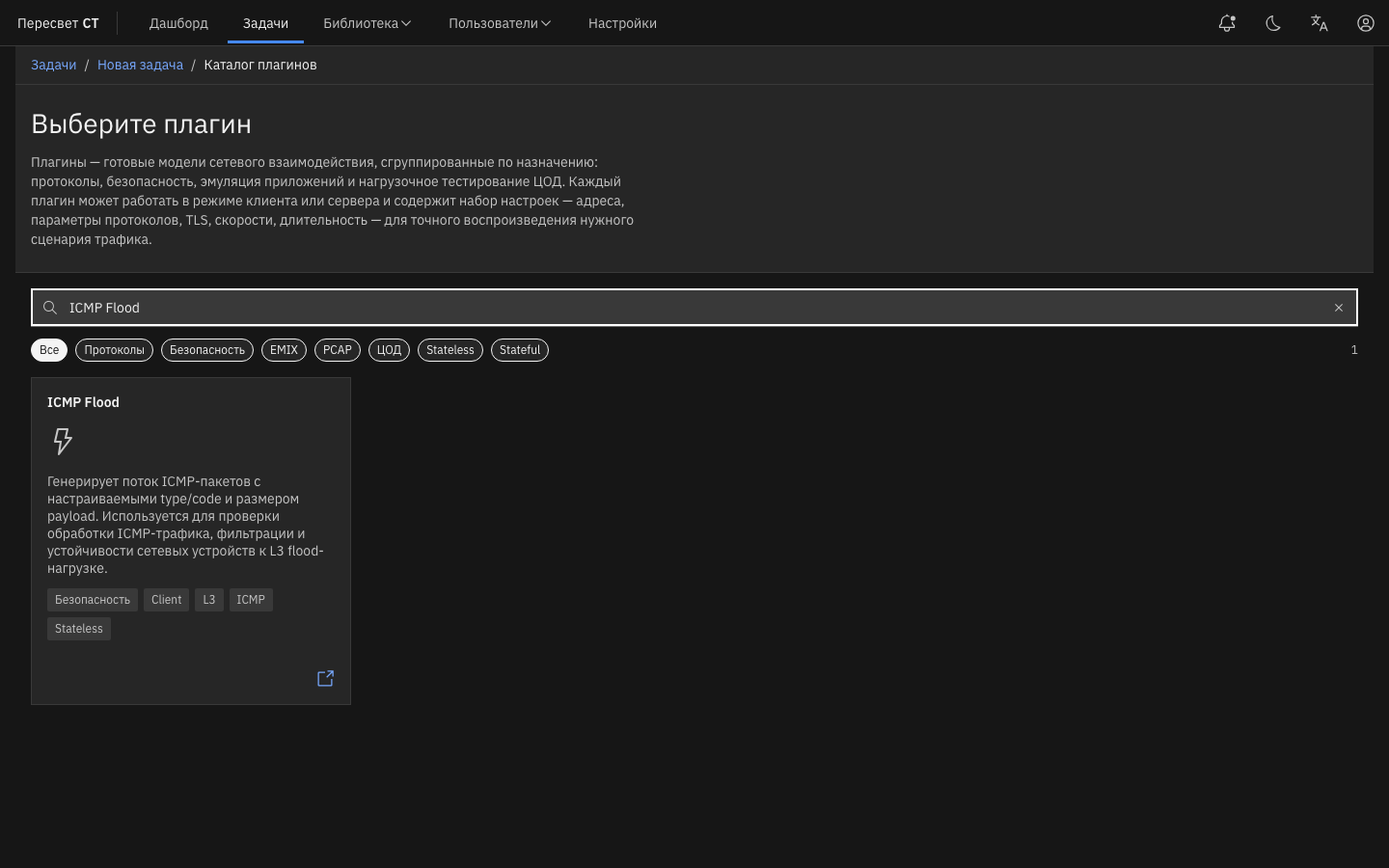
Figure 16 — Finding ICMP Flood in the Data Plane catalog
Common tabs: Sources, Targets, IP header (L3), Plugin parameters, Rate settings (PPS), Duration, and, when required, Network tunnels.
| Name | Description | Value |
|---|---|---|
| Type | ICMP type | 0–255 (default: 8) |
| Code | ICMP code | 0–255 (default: 0) |
| Send payload / size | ICMP payload | Enable and specify a size or data |
| Invalid checksum | Incorrect checksum | Enable/disable |
| Packets per second | Target intensity | Numeric value or Unlimited |
Dashboard: ddos_icmp_flood.
ICMP Fragmentation Flood
Sends ICMP Echo Requests as sequences of IPv4 fragments with correct offset/MF/ip_id values. Use it to test the reassembly path and fragmented-ICMP processing. This is a client-side one-arm plugin; its common tabs are the same as for ICMP Flood (sources, targets, L3, payload, PPS, and duration).
Dashboard: ddos_icmp_fragmentation.
Ping Flood
Generates a high-volume stream of ICMP Echo Requests with type=8 / code=0 and a configurable payload. Unlike ICMP Flood, type/code are fixed to Echo Request. This is a client-side one-arm plugin.
Dashboard: ddos_ping_flood.
Ping of Death Flood
Generates oversized ICMP Echo Requests through IPv4 fragments with Ping of Death reassembly semantics. Use it only in an isolated test environment: the purpose is to verify DUT stack resilience, not to disrupt a production system. This is a client-side one-arm plugin.
Dashboard: ddos_ping_of_death.
DNS Amplification (UDP)
Generates amplification-oriented UDP/53 DNS queries: an ANY IN question with an EDNS0 OPT record and an increased UDP buffer size. This profile does not use spoofing or external reflectors: the source is the agent, and the target is a DUT or resolver in the test environment.
| Name | Description | Value |
|---|---|---|
| Recursion Desired (RD) | RD flag | Enable/disable |
| Random domains | Random name in each query | Enable/disable |
| Domains | Fixed list of names | Used when Random domains is disabled |
| Queries per second | Target intensity | Numeric value or Unlimited |
Dashboard: ddos_dns_amplification. Difference from DNS Flood: amplification uses an ANY+EDNS0 profile, while DNS Flood sends ordinary queries with configurable domains.
UDP Fragmentation Flood
Sends a UDP datagram as IPv4 fragments: the first fragment contains the UDP header, while subsequent fragments use the same ip_id and correct fragment offset/MF values. This is a client-side one-arm plugin. Legacy IP Fragmentation Flood is unavailable in the current catalog.
Dashboard: ddos_udp_fragmentation.
NTP Amplification (UDP)
Generates UDP/123 NTP private-control, monlist-like requests to test an NTP amplification profile without spoofing or external reflectors. This is a client-side one-arm plugin.
Dashboard: ddos_ntp_amplification.
MHDDoS Emulation
MHDDoS Emulation is a plugin that emulates various types of DDoS attacks to test the resilience and protection of network infrastructure.
The plugin contains the subplugins listed below. Enable them as needed with their preconfigured parameters.
SYN Flood
SYN Flood is a traffic-generation subplugin that sends a large number of TCP connection-establishment requests (SYN packets) without completing the handshake.
The plugin has the following parameters:
-
Activate subplugin toggle — enables the subplugin within MHDDoS Emulation.
-
Sources — the selected agent, interfaces, and MAC addresses from which the agent sends and receives traffic. Table 131 describes the parameters.
Table 131 — Sources Parameters
| Name | Description | Value |
|---|---|---|
| Agent | Agent that sends and receives traffic. | Select an agent from the agent list |
| Network interface | Agent network interface that sends and receives traffic | Select an interface from the interface list |
| Network | Selected Network object whose parameters are used to send traffic. If several objects are selected, change the weight to balance packet distribution among them. | Select a Network object. Set its weight; by default, packets are distributed evenly among Network objects |
| MAC address | Selected MAC Address object whose parameters are used to send traffic | Select a MAC Address object. Random MAC address generates a random sender MAC address for every packet |
- Targets — parameters for selecting the object to which traffic is sent (see Adding a Receiver Network). Table 132 describes the parameters.
Table 132 — Targets Parameters
| Name | Description | Value |
|---|---|---|
| MAC address | Selected MAC Address object whose parameters are used to send traffic | Select a MAC Address object. Random MAC address generates a random receiver MAC address for every packet. |
| Target | Selected Network object whose parameters are used to send traffic to the selected target. | Select a Network object. |
- IP header (L3) — IP header settings at the L3 TCP/IP layer. Table 133 describes the parameters.
Table 133 — IP Header (L3) Parameters
| Name | Description | Value |
|---|---|---|
| TTL (Time to Live) | Maximum number of routers (hops) that a packet can traverse before it is discarded. | Enter a numeric value (default TTL: 128) |
| ToS (Type of Service) | DSCP is an IP header field that determines traffic priority and handling | Enter a numeric value (default DSCP: 7) |
| ToS (Type of Service) | ECN lets routers notify endpoints of network congestion without dropping packets. | Select: 00 (Non-ECT) 01 (ECT(1)) 10 (ECT(0)) 11 (CE (Congestion Experienced)) |
| Random ID | Randomly selected unique packet identifier used to distinguish fragments of the same IP packet | Enable/disable |
| ID value | Numeric identifier assigned to each IP packet for fragmentation and reassembly. Available when Random ID is disabled | Enter a numeric value (default ID Value: 0-65535) |
- TCP header (L4) — TCP header settings at the L4 TCP/IP layer. Table 134 describes the parameters.
Table 134 — TCP Header (L4) Parameters
| Name | Description | Value |
|---|---|---|
| Max. Segment Size | Maximum amount of data that can be transmitted in one TCP segment | Enter a numeric value (default Max. Segment Size: 1460) |
| WS (IP Options) | Window Scale increases the TCP window available for flow control. | Enter a numeric value (default WS: 64) |
| Window Size | Amount of data that can be sent without waiting for an acknowledgment from the receiver. | Enter a numeric value (default Window Size: 256) |
| Random Sequence Number | Random number used to initialize a sequence number in a communication protocol such as TCP | Enable/disable |
| Sequence Number value | Current sequence number indicating the order of data in the stream | Enter a numeric value (default Sequence Number: 0-4294967295) |
- Rate settings — packet transmission rate. Table 135 describes the parameter.
Table 135 — Rate Parameter
| Name | Description | Value |
|---|---|---|
| Unlimited toggle | Maximum performance without limiting the number of requests sent per second | Enable/disable. The toggle is enabled by default. |
| Packets per second | Number of packets sent in one second | Enter a numeric value. Default: 10. |
| Interval between requests | Delay between transmissions at the configured requests-per-second rate. | Enter a numeric value |
UDP Flood
UDP Flood is a traffic-generation subplugin that sends a large volume of UDP packets to a target server, potentially exhausting network bandwidth and overloading server resources.
The plugin has the following parameters:
-
Activate subplugin toggle — enables the subplugin within MHDDoS Emulation.
-
Sources — the selected agent, interfaces, and MAC addresses from which the agent sends and receives traffic. Table 136 describes the parameters.
Table 136 — Sources Parameters
| Name | Description | Value |
|---|---|---|
| Agent | Agent that sends and receives traffic. | Select an agent from the agent list |
| Network interface | Agent network interface that sends and receives traffic | Select an interface from the interface list |
| Network | Selected Network object whose parameters are used to send traffic. If several objects are selected, change the weight to balance packet distribution among them. | Select a Network object. Set its weight; by default, packets are distributed evenly among Network objects |
| MAC address | Selected MAC Address object whose parameters are used to send traffic | Select a MAC Address object. Random MAC address generates a random sender MAC address for every packet |
- Targets — parameters for selecting the object to which traffic is sent (see Adding a Receiver Network). Table 137 describes the parameters.
Table 137 — Targets Parameters
| Name | Description | Value |
|---|---|---|
| MAC address | Selected MAC Address object whose parameters are used to send traffic | Select a MAC Address object. Random MAC address generates a random receiver MAC address for every packet. |
| Target | Selected Network object whose parameters are used to send traffic to the selected target. | Select a Network object. |
- IP header (L3) — IP header settings at the L3 TCP/IP layer. Table 138 describes the parameters.
Table 138 — IP Header (L3) Parameters
| Name | Description | Value |
|---|---|---|
| TTL (Time to Live) | Maximum number of routers (hops) that a packet can traverse before it is discarded. | Enter a numeric value (default TTL: 128) |
| ToS (Type of Service) | DSCP is an IP header field that determines traffic priority and handling | Enter a numeric value (default DSCP: 7) |
| ToS (Type of Service) | ECN lets routers notify endpoints of network congestion without dropping packets. | Select: 00 (Non-ECT) 01 (ECT(1)) 10 (ECT(0)) 11 (CE (Congestion Experienced)) |
| Random ID | Randomly selected unique packet identifier used to distinguish fragments of the same IP packet | Enable/disable |
| ID value | Numeric identifier assigned to each IP packet for fragmentation and reassembly. Available when Random ID is disabled | Enter a numeric value (default ID Value: 0-65535) |
- Plugin parameters — UDP plugin settings. Table 139 describes the parameters.
Table 139 — Plugin Parameters
| Name | Description | Value |
|---|---|---|
| Invalid checksum | A checksum verifies data integrity in UDP packets. When enabled, transmitted packets contain an incorrect checksum, which may cause the receiver to reject or incorrectly process them. | Enable or disable the toggle |
| Send payload | Payload is the data carried in a UDP packet. This option controls whether the UDP packet includes a payload. | The toggle is enabled by default |
| Random data | Generates payload contents randomly. These may be random bytes or strings, making traffic less predictable. | The toggle is enabled by default. |
| Payload size | Size of the data in the UDP packet payload. The value can range from 0 to 1300 bytes. | Default: 1024 |
- Rate settings — packet transmission rate. Table 140 describes the parameter.
Table 140 — Rate Parameter
| Name | Description | Value |
|---|---|---|
| Unlimited toggle | Maximum performance without limiting the number of requests sent per second | Enable/disable. The toggle is enabled by default. |
| Packets per second | Number of packets sent in one second | Enter a numeric value. Default: 10. |
| Interval between requests | Delay between transmissions at the configured requests-per-second rate. | Enter a numeric value |
GRE Flood
GRE Flood is a traffic-generation plugin that generates and sends a large number of packets with a GRE (Generic Routing Encapsulation) header to overload network bandwidth.
The plugin has the following parameters:
-
Activate subplugin toggle — enables the subplugin within MHDDoS Emulation.
-
Sources — the selected agent, interfaces, and MAC addresses from which the agent sends and receives traffic. Table 141 describes the parameters.
Table 141 — Sources Parameters
| Name | Description | Value |
|---|---|---|
| Agent | Agent that sends and receives traffic. | Select an agent from the agent list |
| Network interface | Agent network interface that sends and receives traffic | Select an interface from the interface list |
| Network | Selected Network object whose parameters are used to send traffic. If several objects are selected, change the weight to balance packet distribution among them. | Select a Network object. Set its weight; by default, packets are distributed evenly among Network objects |
| MAC address | Selected MAC Address object whose parameters are used to send traffic | Select a MAC Address object. Random MAC address generates a random sender MAC address for every packet |
- Targets — parameters for selecting the object to which traffic is sent (see Adding a Receiver Network). Table 142 describes the parameters.
Table 142 — Targets Parameters
| Name | Description | Value |
|---|---|---|
| MAC address | Selected MAC Address object whose parameters are used to send traffic | Select a MAC Address object. Random MAC address generates a random receiver MAC address for every packet. |
| Target | Selected Network object whose parameters are used to send traffic to the selected target. | Select a Network object. |
- IP header (L3) — IP header settings at the L3 TCP/IP layer. Table 143 describes the parameters.
Table 143 — IP Header (L3) Parameters
| Name | Description | Value |
|---|---|---|
| TTL (Time to Live) | Maximum number of routers (hops) that a packet can traverse before it is discarded. | Enter a numeric value (default TTL: 128) |
| ToS (Type of Service) | DSCP is an IP header field that determines traffic priority and handling | Enter a numeric value (default DSCP: 7) |
| ToS (Type of Service) | ECN lets routers notify endpoints of network congestion without dropping packets. | Select: 00 (Non-ECT) 01 (ECT(1)) 10 (ECT(0)) 11 (CE (Congestion Experienced)) |
| Random ID | Randomly selected unique packet identifier used to distinguish fragments of the same IP packet | Enable/disable |
| ID value | Numeric identifier assigned to each IP packet for fragmentation and reassembly. Available when Random ID is disabled | Enter a numeric value (default ID Value: 0-65535) |
- Plugin parameters — GRE plugin settings. Table 144 describes the parameters.
Table 144 — Plugin Parameters
| Name | Description | Value |
|---|---|---|
| Invalid checksum | A checksum verifies data integrity in IP packets. When enabled, transmitted packets contain an incorrect checksum, which may cause the receiver to reject or incorrectly process them. | Enable or disable the toggle |
- Rate settings — packet transmission rate. Table 145 describes the parameter.
Table 145 — Rate Parameter
| Name | Description | Value |
|---|---|---|
| Unlimited toggle | Maximum performance without limiting the number of requests sent per second | Enable/disable. The toggle is enabled by default. |
| Packets per second | Number of packets sent in one second | Enter a numeric value. Default: 10. |
| Interval between requests | Delay between transmissions at the configured requests-per-second rate. | Enter a numeric value |
STRESS
STRESS is a traffic-generation subplugin that combines different load types for maximum impact on the system.
The plugin has the following parameters:
-
Activate subplugin toggle — enables the subplugin within MHDDoS Emulation.
-
Sources — the selected agent, interfaces, and MAC addresses from which the agent sends and receives traffic. Table 146 describes the parameters.
Table 146 — Sources Parameters
| Name | Description | Value |
|---|---|---|
| Agent | Agent that sends and receives traffic. | Select an agent from the agent list |
| Network interface | Agent network interface that sends and receives traffic | Select an interface from the interface list |
| Network | Selected Network object whose parameters are used to send traffic. If several objects are selected, change the weight to balance packet distribution among them. | Select a Network object. Set its weight; by default, packets are distributed evenly among Network objects |
| MAC address | Selected MAC Address object whose parameters are used to send traffic | Select a MAC Address object. Random MAC address generates a random sender MAC address for every packet |
- Targets — parameters for selecting the object to which traffic is sent (see Adding a Receiver Network). Table 147 describes the parameters.
Table 147 — Targets Parameters
| Name | Description | Value |
|---|---|---|
| MAC address | Selected MAC Address object whose parameters are used to send traffic | Select a MAC Address object. Random MAC address generates a random receiver MAC address for every packet. |
| Target | Selected Network object whose parameters are used to send traffic to the selected target. | Select a Network object. |
- IP header (L3) — IP header settings at the L3 TCP/IP layer. Table 148 describes the parameters.
Table 148 — IP Header (L3) Parameters
| Name | Description | Value |
|---|---|---|
| TTL (Time to Live) | Maximum number of routers (hops) that a packet can traverse before it is discarded. | Enter a numeric value (default TTL: 128) |
| ToS (Type of Service) | DSCP is an IP header field that determines traffic priority and handling | Enter a numeric value (default DSCP: 7) |
| ToS (Type of Service) | ECN lets routers notify endpoints of network congestion without dropping packets. | Select: 00 (Non-ECT) 01 (ECT(1)) 10 (ECT(0)) 11 (CE (Congestion Experienced)) |
| Random ID | Randomly selected unique packet identifier used to distinguish fragments of the same IP packet | Enable/disable |
| ID value | Numeric identifier assigned to each IP packet for fragmentation and reassembly. Available when Random ID is disabled | Enter a numeric value (default ID Value: 0-65535) |
- TCP header (L4) — TCP header settings at the L4 TCP/IP layer. Table 149 describes the parameters.
Table 149 — TCP Header (L4) Parameters
| Name | Description | Value |
|---|---|---|
| Max. Segment Size | Maximum amount of data that can be transmitted in one TCP segment | Enter a numeric value (default Max. Segment Size: 1460) |
| WS (IP Options) | Window Scale increases the TCP window available for flow control. | Enter a numeric value (default WS: 64) |
| Window Size | Amount of data that can be sent without waiting for an acknowledgment from the receiver. | Enter a numeric value (default Window Size: 256) |
- HTTP parameters — HTTP header settings at the L6–L7 TCP/IP layers. Table 150 describes the parameters.
Table 150 — HTTP Parameters
| Name | Description | Value |
|---|---|---|
| HTTPs | Whether the secure HTTPS data-transfer protocol is used | Yes / No (set the current state with the toggle) |
| TLS version | The TLS (Transport Layer Security) version determines the encryption protocol used for secure data transfer between the client and server. Available when HTTPs is enabled | Select TLS v1.2 or TLS v1.3 |
| HTTP version | HTTP protocol version used for data transfer. | Select HTTP 1.1 or HTTP 2.0 |
| User-Agent | Header that identifies the client application (for example, a browser) and the operating system from which the request is made. | Enter the header value. Default: ${userAgent} — rotates User-Agent values by selecting a random valid entry from the web-interface list for each request |
| Path | Path to the requested resource on the server; the part of the URL after the domain name. | Enter a path (default: server root directory /) |
| HTTP method | Method used to request a resource from the server. | Default: POST |
| HTTP status | Tracks session redirects toward the target. When enabled, every response with a 3XX status code is processed, and the session and its subsequent traffic are redirected to the target specified in the location header. | Enable/disable the toggle |
| HTML Meta Refresh | Tracks session redirects toward the target. When enabled, every response containing an HTML page with a refresh meta tag is processed, and the session and its subsequent traffic are redirected, including the delay, to the target specified in the content attribute. | Enable/disable the toggle |
| Depth | Maximum allowed number of redirects within one TCP session | Enter a value (default: 20) |
| Query parameters | Parameters passed in the URL after the question mark (?) | After clicking Add parameters, enter a value: ${str(length)} — generates a random character combination of the specified length (example: ${str(16)}); ${strMinMax(min\_length,max\_length)} — generates a random character combination whose length is within the specified range (example: ${strMinMax(16,24)}); ${hex(length)} — generates a random hexadecimal character combination of the specified length (example: ${hex(16)}); ${hexMinMax(min\_length,max\_length)} — generates a random hexadecimal character combination within the specified range (example: ${hexMinMax(16,24)}); ${email} — generates a valid email address with a random user name and domain; ${login} — generates a valid user login; ${password} — generates a valid user password |
| Request body | Part of the HTTP request containing data sent by the client to the server, such as a form or JSON. Available for POST, PUT, or PATCH. | Default: «{«data»: «${str(512)}»}» |
| Headers | Additional metadata sent with the HTTP request. | Defaults: Accept: */*; Accept-Encoding: gzip,deflate,br; Accept-Language: ru-RU,ru;q=0.9,en-US,en;q=0.7; Cache-Control: max-age=0; Sec-Fetch-Mode: navigate; Sec-Fetch-Site: same-origin; Sec-Fetch-User: 71; Sec-Fetch-Dest: document; Pragma: no-cache; X-Requested-With: XMLHttpRequest; Content-Type: application/json. After clicking Add parameters, enter a value: ${str(length)} — generates a random character combination of the specified length (example: ${str(16)}); ${strMinMax(min\_length,max\_length)} — generates a random character combination whose length is within the specified range (example: ${strMinMax(16,24)}); ${hex(length)} — generates a random hexadecimal character combination of the specified length (example: ${hex(16)}); ${hexMinMax(min\_length,max\_length)} — generates a random hexadecimal character combination within the specified range (example: ${hexMinMax(16,24)}); ${email} — generates a valid email address with a random user name and domain; ${login} — generates a valid user login; ${password} — generates a valid user password |
- Session parameters — settings for managing sessions within the current plugin. Table 151 describes the parameters.
Table 151 — Session Parameters
| Name | Description | Value |
|---|---|---|
| Total sessions | Maximum number of concurrently active sessions that can be established within the plugin. | Enter a numeric value. Default: 10 |
| Reconnect timeout | Time in seconds during which Peresvet ST attempts to restore a connection after it is interrupted. If the connection is not restored within this period, the session is closed. | Enter a numeric value. Default: 0 |
| Connections per second | Maximum number of new sessions that can be established in one second. | Enter a numeric value. Default: 1 |
| Max. streams (per session) | Maximum number of data streams that can be active in one session. Available only when H2 is enabled under HTTP parameters. | Enter a numeric value. Default: 20 |
| Unlimited toggle | Maximum performance without limiting the number of requests sent per second | Enable/disable. The toggle is enabled by default. |
| Requests per second (per session) | Maximum number of requests that can be processed per second for one session/stream. | Enter a numeric value. Default: 10. |
| Interval between requests | Delay between transmissions at the configured requests-per-second rate. | Enter a numeric value. Default: 0 |
BYPASS
BYPASS is a traffic-generation subplugin designed to bypass standard protection measures such as filters or a WAF.
The plugin has the following parameters:
-
Activate subplugin toggle — enables the subplugin within MHDDoS Emulation.
-
Sources — the selected agent, interfaces, and MAC addresses from which the agent sends and receives traffic. Table 152 describes the parameters.
Table 152 — Sources Parameters
| Name | Description | Value |
|---|---|---|
| Agent | Agent that sends and receives traffic. | Select an agent from the agent list |
| Network interface | Agent network interface that sends and receives traffic | Select an interface from the interface list |
| Network | Selected Network object whose parameters are used to send traffic. If several objects are selected, change the weight to balance packet distribution among them. | Select a Network object. Set its weight; by default, packets are distributed evenly among Network objects |
| MAC address | Selected MAC Address object whose parameters are used to send traffic | Select a MAC Address object. Random MAC address generates a random sender MAC address for every packet |
- Targets — parameters for selecting the object to which traffic is sent (see Adding a Receiver Network). Table 153 describes the parameters.
Table 153 — Targets Parameters
| Name | Description | Value |
|---|---|---|
| MAC address | Selected MAC Address object whose parameters are used to send traffic | Select a MAC Address object. Random MAC address generates a random receiver MAC address for every packet. |
| Target | Selected Network object whose parameters are used to send traffic to the selected target. | Select a Network object. |
- IP header (L3) — IP header settings at the L3 TCP/IP layer. Table 154 describes the parameters.
Table 154 — IP Header (L3) Parameters
| Name | Description | Value |
|---|---|---|
| TTL (Time to Live) | Maximum number of routers (hops) that a packet can traverse before it is discarded. | Enter a numeric value (default TTL: 128) |
| ToS (Type of Service) | DSCP is an IP header field that determines traffic priority and handling | Enter a numeric value (default DSCP: 7) |
| ToS (Type of Service) | ECN lets routers notify endpoints of network congestion without dropping packets. | Select: 00 (Non-ECT) 01 (ECT(1)) 10 (ECT(0)) 11 (CE (Congestion Experienced)) |
| Random ID | Randomly selected unique packet identifier used to distinguish fragments of the same IP packet | Enable/disable |
| ID value | Numeric identifier assigned to each IP packet for fragmentation and reassembly. Available when Random ID is disabled | Enter a numeric value (default ID Value: 0-65535) |
- TCP header (L4) — TCP header settings at the L4 TCP/IP layer. Table 155 describes the parameters.
Table 155 — TCP Header (L4) Parameters
| Name | Description | Value |
|---|---|---|
| Max. Segment Size | Maximum amount of data that can be transmitted in one TCP segment | Enter a numeric value (default Max. Segment Size: 1460) |
| WS (IP Options) | Window Scale increases the TCP window available for flow control. | Enter a numeric value (default WS: 64) |
| Window Size | Amount of data that can be sent without waiting for an acknowledgment from the receiver. | Enter a numeric value (default Window Size: 256) |
- HTTP parameters — HTTP header settings at the L6–L7 TCP/IP layers. Table 156 describes the parameters.
Table 156 — HTTP Parameters
| Name | Description | Value |
|---|---|---|
| HTTPs | Whether the secure HTTPS data-transfer protocol is used | Yes / No (set the current state with the toggle) |
| TLS version | The TLS (Transport Layer Security) version determines the encryption protocol used for secure data transfer between the client and server. Available when HTTPs is enabled | Select TLS v1.2 or TLS v1.3 |
| HTTP version | HTTP protocol version used for data transfer. | Default: HTTP 1.1 |
| User-Agent | Header that identifies the client application (for example, a browser) and the operating system from which the request is made. | Enter the header value. Default: ${userAgent} — rotates User-Agent values by selecting a random valid entry from the web-interface list for each request |
| Path | Path to the requested resource on the server; the part of the URL after the domain name. | Enter a path (default: server root directory /) |
| HTTP method | Method used to request a resource from the server. | Default: GET |
| HTTP status | Tracks session redirects toward the target. When enabled, every response with a 3XX status code is processed, and the session and its subsequent traffic are redirected to the target specified in the location header. | Enable/disable the toggle |
| HTML Meta Refresh | Tracks session redirects toward the target. When enabled, every response containing an HTML page with a refresh meta tag is processed, and the session and its subsequent traffic are redirected, including the delay, to the target specified in the content attribute. | Enable/disable the toggle |
| Depth | Maximum allowed number of redirects within one TCP session | Enter a value (default: 20) |
| Query parameters | Parameters passed in the URL after the question mark (?) | After clicking Add parameters, enter a value: ${str(length)} — generates a random character combination of the specified length (example: ${str(16)}); ${strMinMax(min\_length,max\_length)} — generates a random character combination whose length is within the specified range (example: ${strMinMax(16,24)}); ${hex(length)} — generates a random hexadecimal character combination of the specified length (example: ${hex(16)}); ${hexMinMax(min\_length,max\_length)} — generates a random hexadecimal character combination within the specified range (example: ${hexMinMax(16,24)}); ${email} — generates a valid email address with a random user name and domain; ${login} — generates a valid user login; ${password} — generates a valid user password |
| Headers | Additional metadata sent with the HTTP request. | Defaults: Accept: */*; Accept-Encoding: gzip,deflate,br; Accept-Language: ru-RU,ru;q=0.9,en-US,en;q=0.7; Cache-Control: max-age=0; Sec-Fetch-Mode: navigate; Sec-Fetch-Site: same-origin; Sec-Fetch-User: 71; Sec-Fetch-Dest: document; Pragma: no-cache. After clicking Add parameters, enter a value: ${str(length)} — generates a random character combination of the specified length (example: ${str(16)}); ${strMinMax(min\_length,max\_length)} — generates a random character combination whose length is within the specified range (example: ${strMinMax(16,24)}); ${hex(length)} — generates a random hexadecimal character combination of the specified length (example: ${hex(16)}); ${hexMinMax(min\_length,max\_length)} — generates a random hexadecimal character combination within the specified range (example: ${hexMinMax(16,24)}); ${email} — generates a valid email address with a random user name and domain; ${login} — generates a valid user login; ${password} — generates a valid user password |
- Session parameters — settings for managing sessions within the current plugin. Table 157 describes the parameters.
Table 157 — Session Parameters
| Name | Description | Value |
|---|---|---|
| Total sessions | Maximum number of concurrently active sessions that can be established within the plugin. | Enter a numeric value. Default: 10 |
| Reconnect timeout | Time in seconds during which Peresvet ST attempts to restore a connection after it is interrupted. If the connection is not restored within this period, the session is closed. | Enter a numeric value. Default: 0 |
| Connections per second | Maximum number of new sessions that can be established in one second. | Enter a numeric value. Default: 1 |
| Unlimited toggle | Maximum performance without limiting the number of requests sent per second | Enable/disable. The toggle is enabled by default. |
| Requests per second (per session) | Maximum number of requests that can be processed per second for one session/stream. | Enter a numeric value. Default: 10. |
| Interval between requests | Delay between transmissions at the configured requests-per-second rate. | Enter a numeric value. Default: 10 |
H2 BYPASS
H2 BYPASS is a traffic-generation subplugin designed to bypass standard protection measures such as filters or a WAF by using HTTP 2.
The plugin has the following parameters:
-
Activate subplugin toggle — enables the subplugin within MHDDoS Emulation.
-
Sources — the selected agent, interfaces, and MAC addresses from which the agent sends and receives traffic. Table 158 describes the parameters.
Table 158 — Sources Parameters
| Name | Description | Value |
|---|---|---|
| Agent | Agent that sends and receives traffic. | Select an agent from the agent list |
| Network interface | Agent network interface that sends and receives traffic | Select an interface from the interface list |
| Network | Selected Network object whose parameters are used to send traffic. If several objects are selected, change the weight to balance packet distribution among them. | Select a Network object. Set its weight; by default, packets are distributed evenly among Network objects |
| MAC address | Selected MAC Address object whose parameters are used to send traffic | Select a MAC Address object. Random MAC address generates a random sender MAC address for every packet |
- Targets — parameters for selecting the object to which traffic is sent (see Adding a Receiver Network). Table 159 describes the parameters.
Table 159 — Targets Parameters
| Name | Description | Value |
|---|---|---|
| MAC address | Selected MAC Address object whose parameters are used to send traffic | Select a MAC Address object. Random MAC address generates a random receiver MAC address for every packet. |
| Target | Selected Network object whose parameters are used to send traffic to the selected target. | Select a Network object. |
- IP header (L3) — IP header settings at the L3 TCP/IP layer. Table 160 describes the parameters.
Table 160 — IP Header (L3) Parameters
| Name | Description | Value |
|---|---|---|
| TTL (Time to Live) | Maximum number of routers (hops) that a packet can traverse before it is discarded. | Enter a numeric value (default TTL: 128) |
| ToS (Type of Service) | DSCP is an IP header field that determines traffic priority and handling | Enter a numeric value (default DSCP: 7) |
| ToS (Type of Service) | ECN lets routers notify endpoints of network congestion without dropping packets. | Select: 00 (Non-ECT) 01 (ECT(1)) 10 (ECT(0)) 11 (CE (Congestion Experienced)) |
| Random ID | Randomly selected unique packet identifier used to distinguish fragments of the same IP packet | Enable/disable |
| ID value | Numeric identifier assigned to each IP packet for fragmentation and reassembly. Available when Random ID is disabled | Enter a numeric value (default ID Value: 0-65535) |
- TCP header (L4) — TCP header settings at the L4 TCP/IP layer. Table 161 describes the parameters.
Table 161 — TCP Header (L4) Parameters
| Name | Description | Value |
|---|---|---|
| Max. Segment Size | Maximum amount of data that can be transmitted in one TCP segment | Enter a numeric value (default Max. Segment Size: 1460) |
| WS (IP Options) | Window Scale increases the TCP window available for flow control. | Enter a numeric value (default WS: 64) |
| Window Size | Amount of data that can be sent without waiting for an acknowledgment from the receiver. | Enter a numeric value (default Window Size: 256) |
- HTTP parameters — HTTP header settings at the L6–L7 TCP/IP layers. Table 162 describes the parameters.
Table 162 — HTTP Parameters
| Name | Description | Value |
|---|---|---|
| HTTPs | Whether the secure HTTPS data-transfer protocol is used | Yes / No (set the current state with the toggle) |
| TLS version | The TLS (Transport Layer Security) version determines the encryption protocol used for secure data transfer between the client and server. Available when HTTPs is enabled | Select TLS v1.2 or TLS v1.3 |
| HTTP version | HTTP protocol version used for data transfer. | Default: HTTP 2 |
| User-Agent | Header that identifies the client application (for example, a browser) and the operating system from which the request is made. | Enter the header value. Default: ${userAgent} — rotates User-Agent values by selecting a random valid entry from the web-interface list for each request |
| Path | Path to the requested resource on the server; the part of the URL after the domain name. | Enter a path (default: server root directory /) |
| HTTP method | Method used to request a resource from the server. | Default: GET |
| HTTP status | Tracks session redirects toward the target. When enabled, every response with a 3XX status code is processed, and the session and its subsequent traffic are redirected to the target specified in the location header. | Enable/disable the toggle |
| HTML Meta Refresh | Tracks session redirects toward the target. When enabled, every response containing an HTML page with a refresh meta tag is processed, and the session and its subsequent traffic are redirected, including the delay, to the target specified in the content attribute. | Enable/disable the toggle |
| Depth | Maximum allowed number of redirects within one TCP session | Enter a value (default: 20) |
| Query parameters | Parameters passed in the URL after the question mark (?) | After clicking Add parameters, enter a value: ${str(length)} — generates a random character combination of the specified length (example: ${str(16)}); ${strMinMax(min\_length,max\_length)} — generates a random character combination whose length is within the specified range (example: ${strMinMax(16,24)}); ${hex(length)} — generates a random hexadecimal character combination of the specified length (example: ${hex(16)}); ${hexMinMax(min\_length,max\_length)} — generates a random hexadecimal character combination within the specified range (example: ${hexMinMax(16,24)}); ${email} — generates a valid email address with a random user name and domain; ${login} — generates a valid user login; ${password} — generates a valid user password |
| Headers | Additional metadata sent with the HTTP request. | Defaults: Accept: */*; Accept-Encoding: gzip,deflate,br; Accept-Language: ru-RU,ru;q=0.9,en-US,en;q=0.7; Cache-Control: max-age=0; Sec-Fetch-Mode: navigate; Sec-Fetch-Site: same-origin; Sec-Fetch-User: 71; Sec-Fetch-Dest: document; Pragma: no-cache. After clicking Add parameters, enter a value: ${str(length)} — generates a random character combination of the specified length (example: ${str(16)}); ${strMinMax(min\_length,max\_length)} — generates a random character combination whose length is within the specified range (example: ${strMinMax(16,24)}); ${hex(length)} — generates a random hexadecimal character combination of the specified length (example: ${hex(16)}); ${hexMinMax(min\_length,max\_length)} — generates a random hexadecimal character combination within the specified range (example: ${hexMinMax(16,24)}); ${email} — generates a valid email address with a random user name and domain; ${login} — generates a valid user login; ${password} — generates a valid user password |
- Session parameters — settings for managing sessions within the current plugin. Table 163 describes the parameters.
Table 163 — Session Parameters
| Name | Description | Value |
|---|---|---|
| Total sessions | Maximum number of concurrently active sessions that can be established within the plugin. | Enter a numeric value. Default: 10 |
| Reconnect timeout | Time in seconds during which Peresvet ST attempts to restore a connection after it is interrupted. If the connection is not restored within this period, the session is closed. | Enter a numeric value. Default: 0 |
| Connections per second | Maximum number of new sessions that can be established in one second. | Enter a numeric value. Default: 1 |
| Max. streams (per session) | Maximum number of data streams that can be active in one session. Available only when H2 is enabled under HTTP parameters. | Enter a numeric value. Default: 20 |
| Unlimited toggle | Maximum performance without limiting the number of requests sent per second | Enable/disable. The toggle is enabled by default. |
| Requests per second (per session) | Maximum number of requests that can be processed per second for one session/stream. | Enter a numeric value. Default: 10. |
| Interval between requests | Delay between transmissions at the configured requests-per-second rate. | Enter a numeric value. Default: 10 |
HTTP TEMPLATE
HTTP TEMPLATE is a traffic-generation subplugin that generates HTTP requests from a configured template to emulate legitimate or malicious traffic.
The plugin has the following parameters:
-
Activate subplugin toggle — enables the subplugin within MHDDoS Emulation.
-
Sources — the selected agent, interfaces, and MAC addresses from which the agent sends and receives traffic. Table 164 describes the parameters.
Table 164 — Sources Parameters
| Name | Description | Value |
|---|---|---|
| Agent | Agent that sends and receives traffic. | Select an agent from the agent list |
| Network interface | Agent network interface that sends and receives traffic | Select an interface from the interface list |
| Network | Selected Network object whose parameters are used to send traffic. If several objects are selected, change the weight to balance packet distribution among them. | Select a Network object. Set its weight; by default, packets are distributed evenly among Network objects |
| MAC address | Selected MAC Address object whose parameters are used to send traffic | Select a MAC Address object. Random MAC address generates a random sender MAC address for every packet |
- Targets — parameters for selecting the object to which traffic is sent (see Adding a Receiver Network). Table 165 describes the parameters.
Table 165 — Targets Parameters
| Name | Description | Value |
|---|---|---|
| MAC address | Selected MAC Address object whose parameters are used to send traffic | Select a MAC Address object. Random MAC address generates a random receiver MAC address for every packet. |
| Target | Selected Network object whose parameters are used to send traffic to the selected target. | Select a Network object. |
- IP header (L3) — IP header settings at the L3 TCP/IP layer. Table 166 describes the parameters.
Table 166 — IP Header (L3) Parameters
| Name | Description | Value |
|---|---|---|
| TTL (Time to Live) | Maximum number of routers (hops) that a packet can traverse before it is discarded. | Enter a numeric value (default TTL: 128) |
| ToS (Type of Service) | DSCP is an IP header field that determines traffic priority and handling | Enter a numeric value (default DSCP: 7) |
| ToS (Type of Service) | ECN lets routers notify endpoints of network congestion without dropping packets. | Select: 00 (Non-ECT) 01 (ECT(1)) 10 (ECT(0)) 11 (CE (Congestion Experienced)) |
| Random ID | Randomly selected unique packet identifier used to distinguish fragments of the same IP packet | Enable/disable |
| ID value | Numeric identifier assigned to each IP packet for fragmentation and reassembly. Available when Random ID is disabled | Enter a numeric value (default ID Value: 0-65535) |
- TCP header (L4) — TCP header settings at the L4 TCP/IP layer. Table 167 describes the parameters.
Table 167 — TCP Header (L4) Parameters
| Name | Description | Value |
|---|---|---|
| Max. Segment Size | Maximum amount of data that can be transmitted in one TCP segment | Enter a numeric value (default Max. Segment Size: 1460) |
| WS (IP Options) | Window Scale increases the TCP window available for flow control. | Enter a numeric value (default WS: 64) |
| Window Size | Amount of data that can be sent without waiting for an acknowledgment from the receiver. | Enter a numeric value (default Window Size: 256) |
- HTTP parameters — HTTP header settings at the L6–L7 TCP/IP layers. Table 168 describes the parameters.
Table 168 — HTTP Parameters
| Name | Description | Value |
|---|---|---|
| HTTPs | Whether the secure HTTPS data-transfer protocol is used | Yes / No (set the current state with the toggle) |
| TLS version | The TLS (Transport Layer Security) version determines the encryption protocol used for secure data transfer between the client and server. Available when HTTPs is enabled | Select TLS v1.2 or TLS v1.3 |
| HTTP version | HTTP protocol version used for data transfer. | Default: HTTP 1.1 |
| User-Agent | Header that identifies the client application (for example, a browser) and the operating system from which the request is made. | Enter the header value. Default: ${userAgent} — rotates User-Agent values by selecting a random valid entry from the web-interface list for each request |
| Path | Path to the requested resource on the server; the part of the URL after the domain name. | Enter a path (default: server root directory /) |
| HTTP method | Method used to request a resource from the server. | Select from: GET POST PUT PATCH DELETE |
| HTTP status | Tracks session redirects toward the target. When enabled, every response with a 3XX status code is processed, and the session and its subsequent traffic are redirected to the target specified in the location header. | Enable/disable the toggle |
| HTML Meta Refresh | Tracks session redirects toward the target. When enabled, every response containing an HTML page with a refresh meta tag is processed, and the session and its subsequent traffic are redirected, including the delay, to the target specified in the content attribute. | Enable/disable the toggle |
| Depth | Maximum allowed number of redirects within one TCP session | Enter a value (default: 20) |
| Query parameters | Parameters passed in the URL after the question mark (?) | After clicking Add parameters, enter a value: ${str(length)} — generates a random character combination of the specified length (example: ${str(16)}); ${strMinMax(min\_length,max\_length)} — generates a random character combination whose length is within the specified range (example: ${strMinMax(16,24)}); ${hex(length)} — generates a random hexadecimal character combination of the specified length (example: ${hex(16)}); ${hexMinMax(min\_length,max\_length)} — generates a random hexadecimal character combination within the specified range (example: ${hexMinMax(16,24)}); ${email} — generates a valid email address with a random user name and domain; ${login} — generates a valid user login; ${password} — generates a valid user password |
| Request body | Part of the HTTP request containing data sent by the client to the server, such as a form or JSON. Available for POST, PUT, or PATCH. | Fill in Request body as follows: ${str(length)} — generates a random character combination of the specified length (example: ${str(16)}); ${strMinMax(min\_length,max\_length)} — generates a random character combination whose length is within the specified range (example: ${strMinMax(16,24)}); ${hex(length)} — generates a random hexadecimal character combination of the specified length (example: ${hex(16)}); ${hexMinMax(min\_length,max\_length)} — generates a random hexadecimal character combination within the specified range (example: ${hexMinMax(16,24)}); ${email} — generates a valid email address with a random user name and domain; ${login} — generates a valid user login; ${password} — generates a valid user password |
| Headers | Additional metadata sent with the HTTP request. | Defaults: Accept: */*; Accept-Encoding: gzip,deflate,br; Accept-Language: ru-RU,ru;q=0.9,en-US,en;q=0.7; Cache-Control: max-age=0; Sec-Fetch-Mode: navigate; Sec-Fetch-Site: same-origin; Sec-Fetch-User: 71; Sec-Fetch-Dest: document; Pragma: no-cache. After clicking Add parameters, enter a value: ${str(length)} — generates a random character combination of the specified length (example: ${str(16)}); ${strMinMax(min\_length,max\_length)} — generates a random character combination whose length is within the specified range (example: ${strMinMax(16,24)}); ${hex(length)} — generates a random hexadecimal character combination of the specified length (example: ${hex(16)}); ${hexMinMax(min\_length,max\_length)} — generates a random hexadecimal character combination within the specified range (example: ${hexMinMax(16,24)}); ${email} — generates a valid email address with a random user name and domain; ${login} — generates a valid user login; ${password} — generates a valid user password |
- Session parameters — settings for managing sessions within the current plugin. Table 169 describes the parameters.
Table 169 — Session Parameters
| Name | Description | Value |
|---|---|---|
| Total sessions | Maximum number of concurrently active sessions that can be established within the plugin. | Enter a numeric value. Default: 10 |
| Reconnect timeout | Time in seconds during which Peresvet ST attempts to restore a connection after it is interrupted. If the connection is not restored within this period, the session is closed. | Enter a numeric value. Default: 0 |
| Connections per second | Maximum number of new sessions that can be established in one second. | Enter a numeric value. Default: 1 |
| Unlimited toggle | Maximum performance without limiting the number of requests sent per second | Enable/disable. The toggle is enabled by default. |
| Requests per second (per session) | Maximum number of requests that can be processed per second for one session/stream. | Enter a numeric value. Default: 10. |
| Interval between requests | Delay between transmissions at the configured requests-per-second rate. | Enter a numeric value. Default: 0 |
H2 HTTP TEMPLATE
H2 HTTP TEMPLATE is a traffic-generation subplugin that uses HTTP 2 to generate HTTP requests from a configured template and emulate legitimate or malicious traffic.
The plugin has the following parameters:
-
Activate subplugin toggle — enables the subplugin within MHDDoS Emulation.
-
Sources — the selected agent, interfaces, and MAC addresses from which the agent sends and receives traffic. Table 170 describes the parameters.
Table 170 — Sources Parameters
| Name | Description | Value |
|---|---|---|
| Agent | Agent that sends and receives traffic. | Select an agent from the agent list |
| Network interface | Agent network interface that sends and receives traffic | Select an interface from the interface list |
| Network | Selected Network object whose parameters are used to send traffic. If several objects are selected, change the weight to balance packet distribution among them. | Select a Network object. Set its weight; by default, packets are distributed evenly among Network objects |
| MAC address | Selected MAC Address object whose parameters are used to send traffic | Select a MAC Address object. Random MAC address generates a random sender MAC address for every packet |
- Targets — parameters for selecting the object to which traffic is sent (see Adding a Receiver Network). Table 171 describes the parameters.
Table 171 — Targets Parameters
| Name | Description | Value |
|---|---|---|
| MAC address | Selected MAC Address object whose parameters are used to send traffic | Select a MAC Address object. Random MAC address generates a random receiver MAC address for every packet. |
| Target | Selected Network object whose parameters are used to send traffic to the selected target. | Select a Network object. |
- IP header (L3) — IP header settings at the L3 TCP/IP layer. Table 172 describes the parameters.
Table 172 — IP Header (L3) Parameters
| Name | Description | Value |
|---|---|---|
| TTL (Time to Live) | Maximum number of routers (hops) that a packet can traverse before it is discarded. | Enter a numeric value (default TTL: 128) |
| ToS (Type of Service) | DSCP is an IP header field that determines traffic priority and handling | Enter a numeric value (default DSCP: 7) |
| ToS (Type of Service) | ECN lets routers notify endpoints of network congestion without dropping packets. | Select: 00 (Non-ECT) 01 (ECT(1)) 10 (ECT(0)) 11 (CE (Congestion Experienced)) |
| Random ID | Randomly selected unique packet identifier used to distinguish fragments of the same IP packet | Enable/disable |
| ID value | Numeric identifier assigned to each IP packet for fragmentation and reassembly. Available when Random ID is disabled | Enter a numeric value (default ID Value: 0-65535) |
- TCP header (L4) — TCP header settings at the L4 TCP/IP layer. Table 173 describes the parameters.
Table 173 — TCP Header (L4) Parameters
| Name | Description | Value |
|---|---|---|
| Max. Segment Size | Maximum amount of data that can be transmitted in one TCP segment | Enter a numeric value (default Max. Segment Size: 1460) |
| WS (IP Options) | Window Scale increases the TCP window available for flow control. | Enter a numeric value (default WS: 64) |
| Window Size | Amount of data that can be sent without waiting for an acknowledgment from the receiver. | Enter a numeric value (default Window Size: 256) |
- HTTP parameters — HTTP header settings at the L6–L7 TCP/IP layers. Table 174 describes the parameters.
Table 174 — HTTP Parameters
| Name | Description | Value |
|---|---|---|
| HTTPs | Whether the secure HTTPS data-transfer protocol is used | Yes / No (set the current state with the toggle) |
| TLS version | The TLS (Transport Layer Security) version determines the encryption protocol used for secure data transfer between the client and server. Available when HTTPs is enabled | Select TLS v1.2 or TLS v1.3 |
| HTTP version | HTTP protocol version used for data transfer. | Default: HTTP 2 |
| User-Agent | Header that identifies the client application (for example, a browser) and the operating system from which the request is made. | Enter the header value. Default: ${userAgent} — rotates User-Agent values by selecting a random valid entry from the web-interface list for each request |
| Path | Path to the requested resource on the server; the part of the URL after the domain name. | Enter a path (default: server root directory /) |
| HTTP method | Method used to request a resource from the server. | Select from: GET POST PUT PATCH DELETE |
| HTTP status | Tracks session redirects toward the target. When enabled, every response with a 3XX status code is processed, and the session and its subsequent traffic are redirected to the target specified in the location header. | Enable/disable the toggle |
| HTML Meta Refresh | Tracks session redirects toward the target. When enabled, every response containing an HTML page with a refresh meta tag is processed, and the session and its subsequent traffic are redirected, including the delay, to the target specified in the content attribute. | Enable/disable the toggle |
| Depth | Maximum allowed number of redirects within one TCP session | Enter a value (default: 20) |
| Query parameters | Parameters passed in the URL after the question mark (?) | After clicking Add parameters, enter a value: ${str(length)} — generates a random character combination of the specified length (example: ${str(16)}); ${strMinMax(min\_length,max\_length)} — generates a random character combination whose length is within the specified range (example: ${strMinMax(16,24)}); ${hex(length)} — generates a random hexadecimal character combination of the specified length (example: ${hex(16)}); ${hexMinMax(min\_length,max\_length)} — generates a random hexadecimal character combination within the specified range (example: ${hexMinMax(16,24)}); ${email} — generates a valid email address with a random user name and domain; ${login} — generates a valid user login; ${password} — generates a valid user password |
| Request body | Part of the HTTP request containing data sent by the client to the server, such as a form or JSON. Available for POST, PUT, or PATCH. | Fill in Request body as follows: ${str(length)} — generates a random character combination of the specified length (example: ${str(16)}); ${strMinMax(min\_length,max\_length)} — generates a random character combination whose length is within the specified range (example: ${strMinMax(16,24)}); ${hex(length)} — generates a random hexadecimal character combination of the specified length (example: ${hex(16)}); ${hexMinMax(min\_length,max\_length)} — generates a random hexadecimal character combination within the specified range (example: ${hexMinMax(16,24)}); ${email} — generates a valid email address with a random user name and domain; ${login} — generates a valid user login; ${password} — generates a valid user password |
| Headers | Additional metadata sent with the HTTP request. | Defaults: Accept: */*; Accept-Encoding: gzip,deflate,br; Accept-Language: ru-RU,ru;q=0.9,en-US,en;q=0.7; Cache-Control: max-age=0; Sec-Fetch-Mode: navigate; Sec-Fetch-Site: same-origin; Sec-Fetch-User: 71; Sec-Fetch-Dest: document; Pragma: no-cache. After clicking Add parameters, enter a value: ${str(length)} — generates a random character combination of the specified length (example: ${str(16)}); ${strMinMax(min\_length,max\_length)} — generates a random character combination whose length is within the specified range (example: ${strMinMax(16,24)}); ${hex(length)} — generates a random hexadecimal character combination of the specified length (example: ${hex(16)}); ${hexMinMax(min\_length,max\_length)} — generates a random hexadecimal character combination within the specified range (example: ${hexMinMax(16,24)}); ${email} — generates a valid email address with a random user name and domain; ${login} — generates a valid user login; ${password} — generates a valid user password |
- Session parameters — settings for managing sessions within the current plugin. Table 175 describes the parameters.
Table 175 — Session Parameters
| Name | Description | Value |
|---|---|---|
| Total sessions | Maximum number of concurrently active sessions that can be established within the plugin. | Enter a numeric value. Default: 10 |
| Reconnect timeout | Time in seconds during which Peresvet ST attempts to restore a connection after it is interrupted. If the connection is not restored within this period, the session is closed. | Enter a numeric value. Default: 0 |
| Connections per second | Maximum number of new sessions that can be established in one second. | Enter a numeric value. Default: 1 |
| Max. streams (per session) | Maximum number of data streams that can be active in one session. Available only when H2 is enabled under HTTP parameters. | Enter a numeric value. Default: 20 |
| Unlimited toggle | Maximum performance without limiting the number of requests sent per second | Enable/disable. The toggle is enabled by default. |
| Requests per second (per session) | Maximum number of requests that can be processed per second for one session/stream. | Enter a numeric value. Default: 10. |
| Interval between requests | Delay between transmissions at the configured requests-per-second rate. | Enter a numeric value. Default: 0 |
After enabling the subplugins, specify the MHDDoS Emulation plugin duration.
Duration — plugin run time. Table 176 describes the parameter.
Table 176 — Duration Parameter
| Name | Description | Value |
|---|---|---|
| Generation duration | Traffic generation time | Enter a numeric value and select seconds, minutes, or hours |