Actions
The Actions tab is available only while a task is running. Use it to deliberately disrupt a network protocol or interface and test how the DUT, routing, and application connections respond to failure and subsequent recovery.
The interface uses this hierarchy:
- Categories → Failure Emulation;
- Failure Type → Interfaces, BGP, IS-IS, OSPF, LDP, or IGMP (IPTV), when the corresponding protocol is present in the task;
- parameters of the selected action.
Available failure types are derived from the task configuration. For example, BGP appears only for a task that contains BGP, while IGMP appears only for a task that contains Access Groups.
General Model
| Element | Purpose |
|---|---|
| Agent | Selects one task agent. All Agents sends the action to every participating agent |
| Interface | Selects one interface on the selected agent. All Interfaces applies the action to every task interface on that agent |
| Once | Runs one complete failure-and-recovery cycle |
| At Intervals | Runs consecutive cycles until Stop is clicked or the task completes |
| Start | Submits the action. In interval mode, it changes to Stop after startup |
Monitor the failure's effect on the Metrics tab. For interfaces, useful graphs include active TCP connections, rate, and packets; for protocols, examine session state, routes, and convergence metrics. Technical reasons for an action failure are recorded in task and agent logs.
Interfaces
An interface failure is a complete cycle:
- the agent selects the DPDK port configured in the task;
- moves the port to
Down; - holds it down for the Downtime;
- automatically moves the port to
Up; - waits for confirmation that the link is up again;
- completes the cycle or returns a recovery error.
One-Time Mode
Select Once, specify the downtime, and click Start.
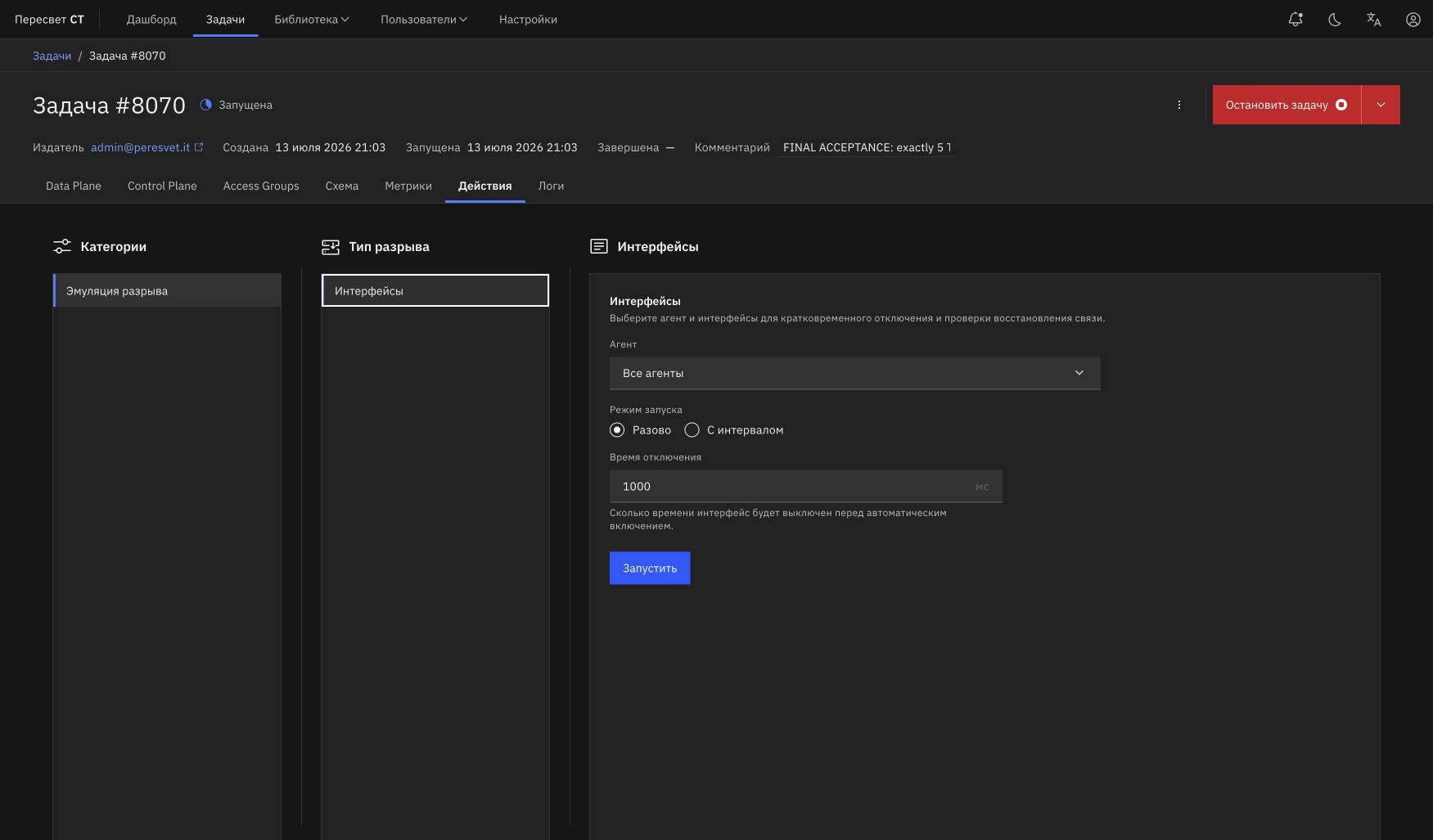
Figure 26a — One-time interface failure emulation
The controller accepts the command without waiting for full interface recovery. The user can immediately switch to another tab or page; the agent completes the outage, enables the interface, and checks the Up state independently. The browser does not wait, and a successful start does not display an informational inline notification.
| Parameter | Behavior | Limit |
|---|---|---|
| Downtime | Time between the Down and Up commands | Milliseconds; UI minimum is 100 ms, and the agent caps it at five minutes |
| Agent | One task agent or all agents | Empty means All Agents |
| Interface | One port or all configured ports on the selected agent | Available after selecting a specific agent |
This is neither a user-defined delay nor the outage duration. After the Up command, the agent checks the actual link state for no more than 30 seconds. The check completes earlier as soon as the interface reports Up. This internal safety timeout is therefore not shown in the form.
The REST API allows the limit to be overridden with up_timeout_ms, but ordinary UI actions use 30,000 ms.
At Intervals Mode
Select At Intervals, enter the Downtime and Interval, and click Start. The button changes to Stop.
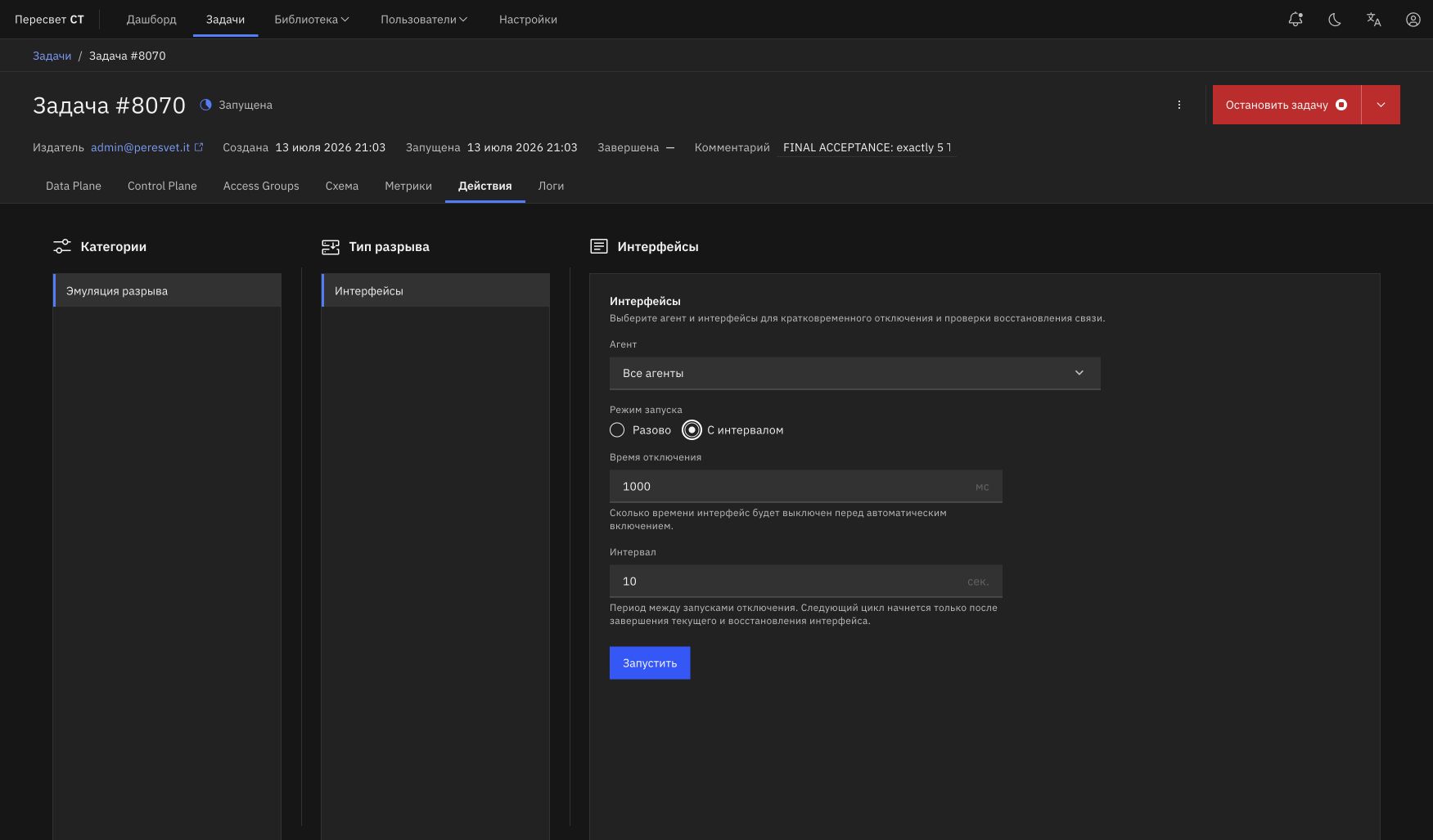
Figure 26b — Emulation of recurring interface failures
For interfaces, the interval begins after the current cycle completes and link recovery is confirmed. It is the pause between completed recovery and the next outage, not a strict period between outage start times.
The minimum time between the start of two cycles can be estimated as:
downtime + actual link recovery + interval + processing overhead
For example, with a five-second outage, approximately 30 seconds of recovery, and a three-second interval, the next failure starts in about 38 seconds or later. It does not start every three seconds. If the link recovers in two seconds, the agent does not wait for the full 30 seconds: the next cycle begins after those two seconds, the configured interval, and a small processing overhead.
An application metric may remain depressed longer than the configured Downtime. After the link is enabled, TCP connections, routes, and DUT state recover independently, and graphs are usually aggregated into one-second points. A five-second outage can therefore appear as a 9–10-second TCP drop.
Stopping Interval Mode
After you click Stop, no new cycles start. If an interface is already down or the agent is already checking its recovery, the current cycle completes safely: the port first returns to Up, and only then does the scheduler stop completely.
Completing or stopping the task itself also stops interval mode. An active cycle is not interrupted halfway, so a normal task stop may wait for the interface to come back up.
When All Agents is selected, the controller starts a scheduler on each agent in parallel. Each agent measures its interval after its own ports recover. If recovery times differ, drops on different agent graphs may gradually drift apart.
Physical and Software Link Control
The agent first attempts a physical outage on a supported Mellanox PF through port-management facilities. If physical control is unavailable but the DPDK port supports state changes, software DPDK link down/up is used.
From the task's perspective, software mode has the same result: the port moves to Down, then Up, and the agent waits for recovery confirmation. In interval mode, a failed hardware capability check is cached for the scheduler's lifetime so that the lengthy test is not repeated before every cycle.
Important limitations:
- virtual NICs (
virtio,vmxnet3,hv_netvsc, and similar) do not support this DPDK failure; the interface prevents startup and shows the reason; - physical Mellanox control requires a PF, agent privileges, and installed management utilities; an SR-IOV VF uses software mode when supported by its driver;
- for a bonded port, the action is applied to its physical members;
- when multiple ports are selected, a cycle completes only after every selected port has been processed;
- only one recurring interface schedule can run on an agent at a time.
BGP
| Parameter | Description |
|---|---|
| Failure mode | Session Shutdown closes the TCP session and removes learned routes; Prefix Withdrawal withdraws the selected route range |
| Local address / Peer address | BGP session filter; empty values apply the action to all matching sessions |
| Base prefix / Count | Available prefix range for withdrawal |
| Offset / Withdrawal count | Withdraws a subset of the range |
| Base label / Address family | MPLS label and address family, for example ipv4-labeled-unicast |
| Base next hop / ASN | Readvertisement parameters; ASN 0 means iBGP |
| Timer | Pause between withdrawal and readvertisement; 0 leaves prefixes withdrawn |
IS-IS, OSPF, and LDP
| Protocol | Action and main parameters |
|---|---|
| IS-IS | Selects an instance and Level 1/2, removes one or more LSPs, and restores them after the timer when configured |
| OSPF | Selects OSPFv2/OSPFv3 and an instance, sends regular or MaxAge LSAs, and restores the original LSAs when required |
| LDP | Filters a session by local and neighbor address, closes it, and reestablishes label bindings after the timer |
For protocol schedules, Interval sets the scheduler frequency, while Timer is the internal delay of the particular protocol action. The interface prevents obviously overlapping values where the timer must be shorter than the interval.
IGMP (IPTV)
| Parameter | Description |
|---|---|
| Mode | Burst performs a simultaneous channel change, Join Only adds a subscription, and Leave Only removes one |
| Base multicast group | First group in the range, for example 232.1.1.1 |
| Group step | 0.0.0.0 sends STBs to one group; 0.0.0.1 distributes them across sequential groups |
| Subscription count | 0 means all active STBs; a positive value limits the selection |
| Source IP (SSM) | Source for IGMPv3 SSM; empty means ASM |
Verifying Results
- Before starting, identify a stable segment of the relevant metric.
- Run a one-time failure or start interval mode.
- Confirm that the number of drops matches the number of completed cycles.
- For interfaces, account separately for
Downtime, link recovery, and application-session recovery. - Check logs for shutdown errors or a 30-second recovery timeout.
- Stop interval mode and confirm that no new drops appear after the active cycle completes.
To measure L2 convergence loss and time, use the L2 Convergence Measurement (UDP) plugin and its dashboard. Simply subtracting received packets from transmitted packets does not replace receive-side sequence and recovery-time measurement.