Settings
The administrator-only Settings section manages PTI packages, forced file synchronization on agents, and the set of system dashboards.
User, group, and AD/LDAP management is described under Users and Groups.
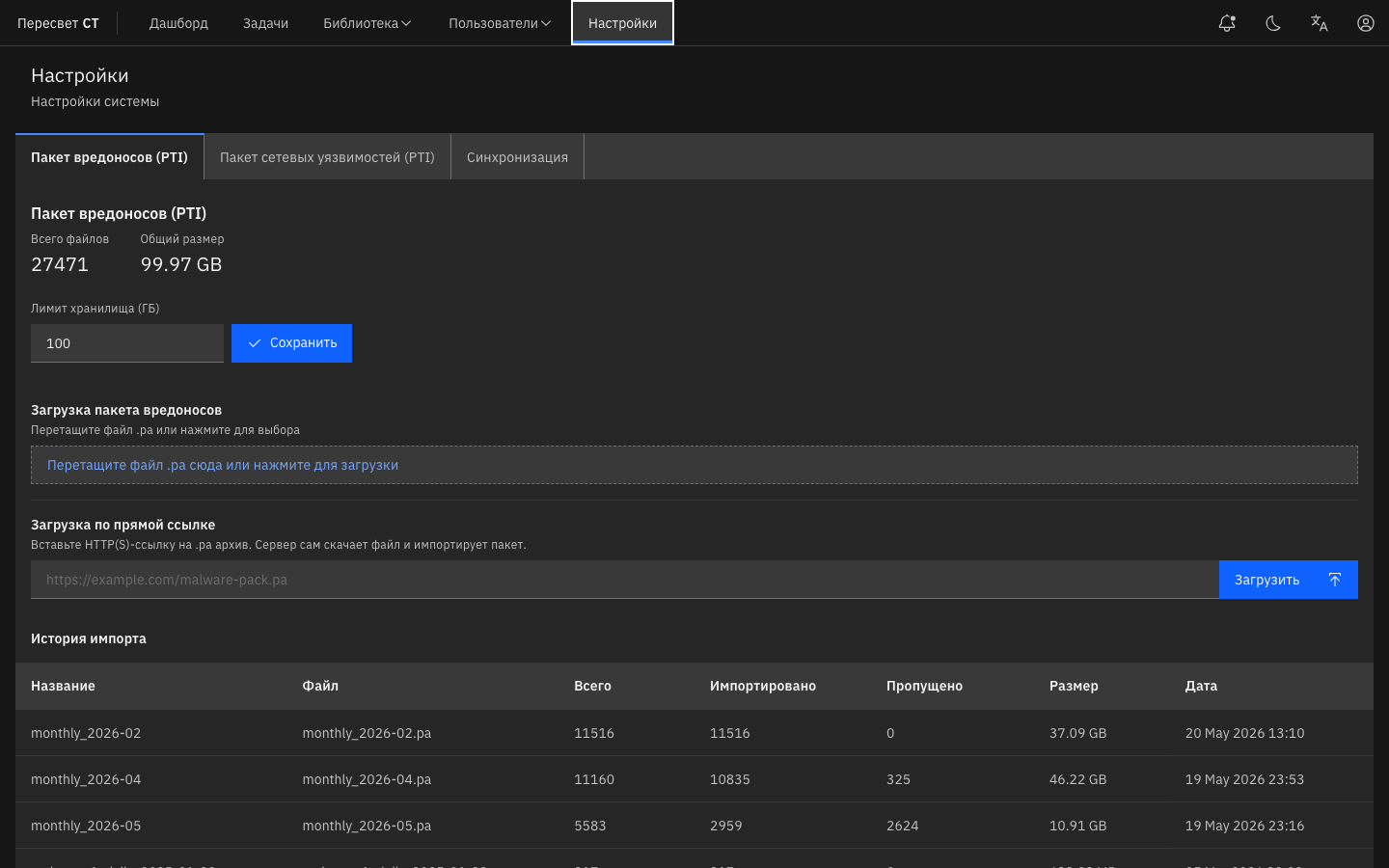
Figure 33 — PTI and synchronization settings tabs
| Tab | Purpose |
|---|---|
| Malware Package (PTI) | File statistics, total size, and storage limit (GB) |
| Network Vulnerability Package (PTI) | CVE signature statistics and package size |
| Synchronization | Synchronize Agents makes agents compare their files with the controller, download missing files, and remove extra files |
| Dashboards | Selects the dashboards available on a task's Metrics tab. Enabling a personalized dashboard also enables its additional metric collection the next time the task starts. See Personalized Dashboards |
Synchronization is required after malware/CVE/C2/PCAP/user files are uploaded if the agents have not yet received those objects. Until synchronization completes, library-dependent plugins may fail with a missing-file error; inspect the agent logs.